Compare commits
35 Commits
2.3
..
experimental
| Author | SHA1 | Date | |
|---|---|---|---|
 Kenneth Estanislao Kenneth Estanislao
|
61dae91439 | ||
|
Kenneth Estanislao
|
5d450b4352 | ||
|
Kenneth Estanislao
|
a11ccf9c49 | ||
|
Michael
|
59cc742197 | ||
|
Michael
|
2066560a95 | ||
|
Michael
|
1af9abda2f | ||
|
Kenneth Estanislao
|
91884eebf7 | ||
|
Michael
|
4686716c59 | ||
|
Michael
|
f4028d3949 | ||
|
Michael
|
07c735e9d2 | ||
|
Michael
|
aa021b6aa0 | ||
|
Michael
|
0e3805e200 | ||
|
Michael
|
5cabbffda8 | ||
|
Michael
|
0d4676591e | ||
|
Michael
|
c2cc885672 | ||
|
Kenneth Estanislao
|
e36c746c81 | ||
|
barongello
|
14ab470dcc | ||
|
Kenneth Estanislao
|
4dc4746235 | ||
|
Kenneth Estanislao
|
ac8feff652 | ||
|
Aleksandr Spiridonov
|
a90c4facc5 | ||
|
Aleksandr Spiridonov
|
575373beac | ||
|
Aleksandr Spiridonov
|
b8cdad5cce | ||
|
Kenneth Estanislao
|
137ac597ef | ||
|
Aleksandr Spiridonov
|
f976885456 | ||
|
Aleksandr Spiridonov
|
cd2c3c2103 | ||
|
Aleksandr Spiridonov
|
3fbc1d0433 | ||
|
Aleksandr Spiridonov
|
b4cf8854f8 | ||
|
Aleksandr Spiridonov
|
eb733ad8c5 | ||
|
Vic P
|
c6c41b8d0d | ||
|
Vic P
|
55c8d8181c | ||
|
Kenneth Estanislao
|
4ddcd60c49 | ||
|
Vic P
|
408b0f4cf7 | ||
|
Kenneth Estanislao
|
78c808ef36 | ||
|
Zohar Babin
|
6b0cc74957 | ||
|
Dmitry Samoylenko
|
8d3072d906 |
@@ -1,26 +0,0 @@
|
||||
***[Remove this]The issue would be closed without notice and be considered spam if the template is not followed.***
|
||||
|
||||
**Describe the bug**
|
||||
A clear and concise description of what the bug is.
|
||||
|
||||
**Screenshots**
|
||||
If applicable, add screenshots to help explain your problem.
|
||||
|
||||
**Error Message**
|
||||
|
||||
`<The error message in terminal>`
|
||||
|
||||
**Desktop (please complete the following information):**
|
||||
- OS: [e.g. Windows]
|
||||
- Version [e.g. 22]
|
||||
- GPU
|
||||
- CPU
|
||||
|
||||
**Additional context**
|
||||
Add any other context about the problem here.
|
||||
|
||||
**Confirmation (Mandatory)**
|
||||
- [ ] I have followed the template
|
||||
- [ ] This is not a query about how to increase performance
|
||||
- [ ] I have checked the issues page, and this is not a duplicate
|
||||
|
||||
@@ -6,22 +6,17 @@ __pycache__/
|
||||
.todo
|
||||
*.log
|
||||
*.backup
|
||||
tf_env/
|
||||
|
||||
*.png
|
||||
*.mp4
|
||||
*.mkv
|
||||
|
||||
.tmp/
|
||||
temp/
|
||||
.venv/
|
||||
venv/
|
||||
env/
|
||||
workflow/
|
||||
gfpgan/
|
||||
models/inswapper_128.onnx
|
||||
models/GFPGANv1.4.pth
|
||||
*.onnx
|
||||
models/DMDNet.pth
|
||||
faceswap/
|
||||
.vscode/
|
||||
switch_states.json
|
||||
|
||||
@@ -0,0 +1 @@
|
||||
3.10.14
|
||||
@@ -1,38 +0,0 @@
|
||||
# Collaboration Guidelines and Codebase Quality Standards
|
||||
|
||||
To ensure smooth collaboration and maintain the high quality of our codebase, please adhere to the following guidelines:
|
||||
|
||||
## Branching Strategy
|
||||
|
||||
* **`premain`**:
|
||||
* Always push your changes to the `premain` branch initially.
|
||||
* This safeguards the `main` branch from unintentional disruptions.
|
||||
* All tests will be performed on the `premain` branch.
|
||||
* Changes will only be merged into `main` after several hours or days of rigorous testing.
|
||||
* **`experimental`**:
|
||||
* For large or potentially disruptive changes, use the `experimental` branch.
|
||||
* This allows for thorough discussion and review before considering a merge into `main`.
|
||||
|
||||
## Pre-Pull Request Checklist
|
||||
|
||||
Before creating a Pull Request (PR), ensure you have completed the following tests:
|
||||
|
||||
### Functionality
|
||||
|
||||
* **Realtime Faceswap**:
|
||||
* Test with face enhancer **enabled** and **disabled**.
|
||||
* **Map Faces**:
|
||||
* Test with both options (**enabled** and **disabled**).
|
||||
* **Camera Listing**:
|
||||
* Verify that all cameras are listed accurately.
|
||||
|
||||
### Stability
|
||||
|
||||
* **Realtime FPS**:
|
||||
* Confirm that there is no drop in real-time frames per second (FPS).
|
||||
* **Boot Time**:
|
||||
* Changes should not negatively impact the boot time of either the application or the real-time faceswap feature.
|
||||
* **GPU Overloading**:
|
||||
* Test for a minimum of 15 minutes to guarantee no GPU overloading, which could lead to crashes.
|
||||
* **App Performance**:
|
||||
* The application should remain responsive and not exhibit any lag.
|
||||
@@ -1,329 +1,163 @@
|
||||
<h1 align="center">Deep-Live-Cam</h1>
|
||||

|
||||
|
||||
<p align="center">
|
||||
Real-time face swap and video deepfake with a single click and only a single image.
|
||||
</p>
|
||||
|
||||
<p align="center">
|
||||
<a href="https://trendshift.io/repositories/11395" target="_blank"><img src="https://trendshift.io/api/badge/repositories/11395" alt="hacksider%2FDeep-Live-Cam | Trendshift" style="width: 250px; height: 55px;" width="250" height="55"/></a>
|
||||
</p>
|
||||
## Disclaimer
|
||||
This software is meant to be a productive contribution to the rapidly growing AI-generated media industry. It will help artists with tasks such as animating a custom character or using the character as a model for clothing etc.
|
||||
|
||||
<p align="center">
|
||||
<img src="media/demo.gif" alt="Demo GIF" width="800">
|
||||
</p>
|
||||
The developers of this software are aware of its possible unethical applications and are committed to take preventative measures against them. It has a built-in check which prevents the program from working on inappropriate media including but not limited to nudity, graphic content, sensitive material such as war footage etc. We will continue to develop this project in the positive direction while adhering to law and ethics. This project may be shut down or include watermarks on the output if requested by law.
|
||||
|
||||
## Disclaimer
|
||||
Users of this software are expected to use this software responsibly while abiding the local law. If face of a real person is being used, users are suggested to get consent from the concerned person and clearly mention that it is a deepfake when posting content online. Developers of this software will not be responsible for actions of end-users.
|
||||
|
||||
This deepfake software is designed to be a productive tool for the AI-generated media industry. It can assist artists in animating custom characters, creating engaging content, and even using models for clothing design.
|
||||
## How do I install it?
|
||||
|
||||
We are aware of the potential for unethical applications and are committed to preventative measures. A built-in check prevents the program from processing inappropriate media (nudity, graphic content, sensitive material like war footage, etc.). We will continue to develop this project responsibly, adhering to the law and ethics. We may shut down the project or add watermarks if legally required.
|
||||
|
||||
- Ethical Use: Users are expected to use this software responsibly and legally. If using a real person's face, obtain their consent and clearly label any output as a deepfake when sharing online.
|
||||
|
||||
- Content Restrictions: The software includes built-in checks to prevent processing inappropriate media, such as nudity, graphic content, or sensitive material.
|
||||
|
||||
- Legal Compliance: We adhere to all relevant laws and ethical guidelines. If legally required, we may shut down the project or add watermarks to the output.
|
||||
|
||||
- User Responsibility: We are not responsible for end-user actions. Users must ensure their use of the software aligns with ethical standards and legal requirements.
|
||||
|
||||
By using this software, you agree to these terms and commit to using it in a manner that respects the rights and dignity of others.
|
||||
|
||||
Users are expected to use this software responsibly and legally. If using a real person's face, obtain their consent and clearly label any output as a deepfake when sharing online. We are not responsible for end-user actions.
|
||||
|
||||
## Exclusive v2.2 Quick Start - Pre-built (Windows/Mac Silicon)
|
||||
|
||||
<a href="https://deeplivecam.net/index.php/quickstart"> <img src="media/Download.png" width="285" height="77" />
|
||||
|
||||
##### This is the fastest build you can get if you have a discrete NVIDIA or AMD GPU or Mac Silicon, And you'll receive special priority support.
|
||||
|
||||
###### These Pre-builts are perfect for non-technical users or those who don't have time to, or can't manually install all the requirements. Just a heads-up: this is an open-source project, so you can also install it manually.
|
||||
|
||||
## TLDR; Live Deepfake in just 3 Clicks
|
||||

|
||||
1. Select a face
|
||||
2. Select which camera to use
|
||||
3. Press live!
|
||||
|
||||
## Features & Uses - Everything is in real-time
|
||||
|
||||
### Mouth Mask
|
||||
|
||||
**Retain your original mouth for accurate movement using Mouth Mask**
|
||||
|
||||
<p align="center">
|
||||
<img src="media/ludwig.gif" alt="resizable-gif">
|
||||
</p>
|
||||
|
||||
### Face Mapping
|
||||
|
||||
**Use different faces on multiple subjects simultaneously**
|
||||
|
||||
<p align="center">
|
||||
<img src="media/streamers.gif" alt="face_mapping_source">
|
||||
</p>
|
||||
|
||||
### Your Movie, Your Face
|
||||
|
||||
**Watch movies with any face in real-time**
|
||||
|
||||
<p align="center">
|
||||
<img src="media/movie.gif" alt="movie">
|
||||
</p>
|
||||
|
||||
### Live Show
|
||||
|
||||
**Run Live shows and performances**
|
||||
|
||||
<p align="center">
|
||||
<img src="media/live_show.gif" alt="show">
|
||||
</p>
|
||||
|
||||
### Memes
|
||||
|
||||
**Create Your Most Viral Meme Yet**
|
||||
|
||||
<p align="center">
|
||||
<img src="media/meme.gif" alt="show" width="450">
|
||||
<br>
|
||||
<sub>Created using Many Faces feature in Deep-Live-Cam</sub>
|
||||
</p>
|
||||
|
||||
### Omegle
|
||||
|
||||
**Surprise people on Omegle**
|
||||
|
||||
<p align="center">
|
||||
<video src="https://github.com/user-attachments/assets/2e9b9b82-fa04-4b70-9f56-b1f68e7672d0" width="450" controls></video>
|
||||
</p>
|
||||
|
||||
## Installation (Manual)
|
||||
|
||||
**Please be aware that the installation requires technical skills and is not for beginners. Consider downloading the quickstart version.**
|
||||
|
||||
<details>
|
||||
<summary>Click to see the process</summary>
|
||||
|
||||
### Installation
|
||||
|
||||
This is more likely to work on your computer but will be slower as it utilizes the CPU.
|
||||
|
||||
**1. Set up Your Platform**
|
||||
|
||||
- Python (3.11 recommended)
|
||||
### Basic: It is more likely to work on your computer but it will also be very slow. You can follow instructions for the basic install (This usually runs via **CPU**)
|
||||
#### 1.Setup your platform
|
||||
- python (3.10 recommended)
|
||||
- pip
|
||||
- git
|
||||
- [ffmpeg](https://www.youtube.com/watch?v=OlNWCpFdVMA) - ```iex (irm ffmpeg.tc.ht)```
|
||||
- [Visual Studio 2022 Runtimes (Windows)](https://visualstudio.microsoft.com/visual-cpp-build-tools/)
|
||||
- [ffmpeg](https://www.youtube.com/watch?v=OlNWCpFdVMA)
|
||||
- [visual studio 2022 runtimes (windows)](https://visualstudio.microsoft.com/visual-cpp-build-tools/)
|
||||
#### 2. Clone Repository
|
||||
https://github.com/hacksider/Deep-Live-Cam.git
|
||||
|
||||
**2. Clone the Repository**
|
||||
#### 3. Download Models
|
||||
|
||||
```bash
|
||||
git clone https://github.com/hacksider/Deep-Live-Cam.git
|
||||
cd Deep-Live-Cam
|
||||
1. [GFPGANv1.4](https://huggingface.co/hacksider/deep-live-cam/resolve/main/GFPGANv1.4.pth)
|
||||
2. [inswapper_128_fp16.onnx](https://huggingface.co/hacksider/deep-live-cam/resolve/main/inswapper_128.onnx)
|
||||
|
||||
Then put those 2 files on the "**models**" folder
|
||||
|
||||
#### 4. Install dependency
|
||||
We highly recommend to work with a `venv` to avoid issues.
|
||||
```
|
||||
|
||||
**3. Download the Models**
|
||||
|
||||
1. [GFPGANv1.4](https://huggingface.co/hacksider/deep-live-cam/resolve/main/GFPGANv1.4.pth)
|
||||
2. [inswapper\_128\_fp16.onnx](https://huggingface.co/hacksider/deep-live-cam/resolve/main/inswapper_128_fp16.onnx)
|
||||
|
||||
Place these files in the "**models**" folder.
|
||||
|
||||
**4. Install Dependencies**
|
||||
|
||||
We highly recommend using a `venv` to avoid issues.
|
||||
|
||||
|
||||
For Windows:
|
||||
```bash
|
||||
python -m venv venv
|
||||
venv\Scripts\activate
|
||||
pip install -r requirements.txt
|
||||
```
|
||||
For Linux:
|
||||
```bash
|
||||
# Ensure you use the installed Python 3.10
|
||||
python3 -m venv venv
|
||||
source venv/bin/activate
|
||||
pip install -r requirements.txt
|
||||
##### DONE!!! If you dont have any GPU, You should be able to run roop using `python run.py` command. Keep in mind that while running the program for first time, it will download some models which can take time depending on your network connection.
|
||||
|
||||
### *Proceed if you want to use GPU Acceleration
|
||||
### CUDA Execution Provider (Nvidia)*
|
||||
|
||||
1. Install [CUDA Toolkit 11.8](https://developer.nvidia.com/cuda-11-8-0-download-archive)
|
||||
|
||||
2. Install dependencies:
|
||||
|
||||
|
||||
```
|
||||
|
||||
**For macOS:**
|
||||
|
||||
Apple Silicon (M1/M2/M3) requires specific setup:
|
||||
|
||||
```bash
|
||||
# Install Python 3.11 (specific version is important)
|
||||
brew install python@3.11
|
||||
|
||||
# Install tkinter package (required for the GUI)
|
||||
brew install python-tk@3.10
|
||||
|
||||
# Create and activate virtual environment with Python 3.11
|
||||
python3.11 -m venv venv
|
||||
source venv/bin/activate
|
||||
|
||||
# Install dependencies
|
||||
pip install -r requirements.txt
|
||||
```
|
||||
|
||||
** In case something goes wrong and you need to reinstall the virtual environment **
|
||||
|
||||
```bash
|
||||
# Deactivate the virtual environment
|
||||
rm -rf venv
|
||||
|
||||
# Reinstall the virtual environment
|
||||
python -m venv venv
|
||||
source venv/bin/activate
|
||||
|
||||
# install the dependencies again
|
||||
pip install -r requirements.txt
|
||||
|
||||
# gfpgan and basicsrs issue fix
|
||||
pip install git+https://github.com/xinntao/BasicSR.git@master
|
||||
pip uninstall gfpgan -y
|
||||
pip install git+https://github.com/TencentARC/GFPGAN.git@master
|
||||
```
|
||||
|
||||
**Run:** If you don't have a GPU, you can run Deep-Live-Cam using `python run.py`. Note that initial execution will download models (~300MB).
|
||||
|
||||
### GPU Acceleration
|
||||
|
||||
**CUDA Execution Provider (Nvidia)**
|
||||
|
||||
1. Install [CUDA Toolkit 12.8.0](https://developer.nvidia.com/cuda-12-8-0-download-archive)
|
||||
2. Install [cuDNN v8.9.7 for CUDA 12.x](https://developer.nvidia.com/rdp/cudnn-archive) (required for onnxruntime-gpu):
|
||||
- Download cuDNN v8.9.7 for CUDA 12.x
|
||||
- Make sure the cuDNN bin directory is in your system PATH
|
||||
3. Install dependencies:
|
||||
|
||||
```bash
|
||||
pip install -U torch torchvision torchaudio --index-url https://download.pytorch.org/whl/cu128
|
||||
pip uninstall onnxruntime onnxruntime-gpu
|
||||
pip install onnxruntime-gpu==1.21.0
|
||||
pip install onnxruntime-gpu==1.16.3
|
||||
|
||||
```
|
||||
|
||||
3. Usage:
|
||||
3. Usage in case the provider is available:
|
||||
|
||||
```bash
|
||||
```
|
||||
python run.py --execution-provider cuda
|
||||
|
||||
```
|
||||
|
||||
**CoreML Execution Provider (Apple Silicon)**
|
||||
### [](https://github.com/s0md3v/roop/wiki/2.-Acceleration#coreml-execution-provider-apple-silicon)CoreML Execution Provider (Apple Silicon)
|
||||
|
||||
Apple Silicon (M1/M2/M3) specific installation:
|
||||
1. Install dependencies:
|
||||
|
||||
1. Make sure you've completed the macOS setup above using Python 3.10.
|
||||
2. Install dependencies:
|
||||
|
||||
```bash
|
||||
```
|
||||
pip uninstall onnxruntime onnxruntime-silicon
|
||||
pip install onnxruntime-silicon==1.13.1
|
||||
|
||||
```
|
||||
|
||||
3. Usage (important: specify Python 3.10):
|
||||
2. Usage in case the provider is available:
|
||||
|
||||
```bash
|
||||
python3.10 run.py --execution-provider coreml
|
||||
```
|
||||
|
||||
**Important Notes for macOS:**
|
||||
- You **must** use Python 3.10, not newer versions like 3.11 or 3.13
|
||||
- Always run with `python3.10` command not just `python` if you have multiple Python versions installed
|
||||
- If you get error about `_tkinter` missing, reinstall the tkinter package: `brew reinstall python-tk@3.10`
|
||||
- If you get model loading errors, check that your models are in the correct folder
|
||||
- If you encounter conflicts with other Python versions, consider uninstalling them:
|
||||
```bash
|
||||
# List all installed Python versions
|
||||
brew list | grep python
|
||||
|
||||
# Uninstall conflicting versions if needed
|
||||
brew uninstall --ignore-dependencies python@3.11 python@3.13
|
||||
|
||||
# Keep only Python 3.11
|
||||
brew cleanup
|
||||
```
|
||||
|
||||
**CoreML Execution Provider (Apple Legacy)**
|
||||
|
||||
1. Install dependencies:
|
||||
|
||||
```bash
|
||||
pip uninstall onnxruntime onnxruntime-coreml
|
||||
pip install onnxruntime-coreml==1.21.0
|
||||
```
|
||||
|
||||
2. Usage:
|
||||
|
||||
```bash
|
||||
python run.py --execution-provider coreml
|
||||
|
||||
```
|
||||
|
||||
**DirectML Execution Provider (Windows)**
|
||||
### [](https://github.com/s0md3v/roop/wiki/2.-Acceleration#coreml-execution-provider-apple-legacy)CoreML Execution Provider (Apple Legacy)
|
||||
|
||||
1. Install dependencies:
|
||||
1. Install dependencies:
|
||||
|
||||
```bash
|
||||
```
|
||||
pip uninstall onnxruntime onnxruntime-coreml
|
||||
pip install onnxruntime-coreml==1.13.1
|
||||
|
||||
```
|
||||
|
||||
2. Usage in case the provider is available:
|
||||
|
||||
```
|
||||
python run.py --execution-provider coreml
|
||||
|
||||
```
|
||||
|
||||
### [](https://github.com/s0md3v/roop/wiki/2.-Acceleration#directml-execution-provider-windows)DirectML Execution Provider (Windows)
|
||||
|
||||
1. Install dependencies:
|
||||
|
||||
```
|
||||
pip uninstall onnxruntime onnxruntime-directml
|
||||
pip install onnxruntime-directml==1.21.0
|
||||
pip install onnxruntime-directml==1.15.1
|
||||
|
||||
```
|
||||
|
||||
2. Usage:
|
||||
2. Usage in case the provider is available:
|
||||
|
||||
```bash
|
||||
```
|
||||
python run.py --execution-provider directml
|
||||
|
||||
```
|
||||
|
||||
**OpenVINO™ Execution Provider (Intel)**
|
||||
### [](https://github.com/s0md3v/roop/wiki/2.-Acceleration#openvino-execution-provider-intel)OpenVINO™ Execution Provider (Intel)
|
||||
|
||||
1. Install dependencies:
|
||||
1. Install dependencies:
|
||||
|
||||
```bash
|
||||
```
|
||||
pip uninstall onnxruntime onnxruntime-openvino
|
||||
pip install onnxruntime-openvino==1.21.0
|
||||
pip install onnxruntime-openvino==1.15.0
|
||||
|
||||
```
|
||||
|
||||
2. Usage:
|
||||
2. Usage in case the provider is available:
|
||||
|
||||
```bash
|
||||
```
|
||||
python run.py --execution-provider openvino
|
||||
```
|
||||
</details>
|
||||
|
||||
## Usage
|
||||
## How do I use it?
|
||||
> Note: When you run this program for the first time, it will download some models ~300MB in size.
|
||||
|
||||
**1. Image/Video Mode**
|
||||
Executing `python run.py` command will launch this window:
|
||||

|
||||
|
||||
- Execute `python run.py`.
|
||||
- Choose a source face image and a target image/video.
|
||||
- Click "Start".
|
||||
- The output will be saved in a directory named after the target video.
|
||||
Choose a face (image with desired face) and the target image/video (image/video in which you want to replace the face) and click on `Start`. Open file explorer and navigate to the directory you select your output to be in. You will find a directory named `<video_title>` where you can see the frames being swapped in realtime. Once the processing is done, it will create the output file. That's it.
|
||||
|
||||
**2. Webcam Mode**
|
||||
## For the webcam mode
|
||||
Just follow the clicks on the screenshot
|
||||
1. Select a face
|
||||
2. Click live
|
||||
3. Wait for a few second (it takes a longer time, usually 10 to 30 seconds before the preview shows up)
|
||||
|
||||
- Execute `python run.py`.
|
||||
- Select a source face image.
|
||||
- Click "Live".
|
||||
- Wait for the preview to appear (10-30 seconds).
|
||||
- Use a screen capture tool like OBS to stream.
|
||||
- To change the face, select a new source image.
|
||||

|
||||
|
||||
Just use your favorite screencapture to stream like OBS
|
||||
> Note: In case you want to change your face, just select another picture, the preview mode will then restart (so just wait a bit).
|
||||
|
||||
You can now use the virtual camera output (uses pyvirtualcam) by turning on the `Virtual Cam Output (OBS)` toggle which should output to the OBS Virtual Camera. Note: this may not work on macOS. You will get a preview as before, but now you will also have a virtual camera output which can be used in applications like Zoom.
|
||||
|
||||
Additional command line arguments are given below. To learn out what they do, check [this guide](https://github.com/s0md3v/roop/wiki/Advanced-Options).
|
||||
|
||||
## Command Line Arguments (Unmaintained)
|
||||
|
||||
```
|
||||
options:
|
||||
-h, --help show this help message and exit
|
||||
-s SOURCE_PATH, --source SOURCE_PATH select a source image
|
||||
-t TARGET_PATH, --target TARGET_PATH select a target image or video
|
||||
-s SOURCE_PATH, --source SOURCE_PATH select an source image
|
||||
-t TARGET_PATH, --target TARGET_PATH select an target image or video
|
||||
-o OUTPUT_PATH, --output OUTPUT_PATH select output file or directory
|
||||
--frame-processor FRAME_PROCESSOR [FRAME_PROCESSOR ...] frame processors (choices: face_swapper, face_enhancer, ...)
|
||||
--frame-processor FRAME_PROCESSOR [FRAME_PROCESSOR ...] frame processors (choices: face_swapper, face_enhancer, super_resolution...)
|
||||
--keep-fps keep original fps
|
||||
--keep-audio keep original audio
|
||||
--keep-frames keep temporary frames
|
||||
--many-faces process every face
|
||||
--map-faces map source target faces
|
||||
--mouth-mask mask the mouth region
|
||||
--video-encoder {libx264,libx265,libvpx-vp9} adjust output video encoder
|
||||
--video-quality [0-51] adjust output video quality
|
||||
--live-mirror the live camera display as you see it in the front-facing camera frame
|
||||
@@ -331,57 +165,24 @@ options:
|
||||
--max-memory MAX_MEMORY maximum amount of RAM in GB
|
||||
--execution-provider {cpu} [{cpu} ...] available execution provider (choices: cpu, ...)
|
||||
--execution-threads EXECUTION_THREADS number of execution threads
|
||||
--headless run in headless mode
|
||||
--enhancer-upscale-factor Sets the upscale factor for the enhancer. Only applies if `face_enhancer` is set as a frame-processor
|
||||
--source-image-scaling-factor Set the upscale factor for source images. Only applies if `face_swapper` is set as a frame-processor
|
||||
-r SCALE, --super-resolution-scale-factor SCALE Super resolution scale factor, choices are 2, 3, 4
|
||||
-v, --version show program's version number and exit
|
||||
```
|
||||
|
||||
Looking for a CLI mode? Using the -s/--source argument will make the run program in cli mode.
|
||||
|
||||
## Press
|
||||
|
||||
**We are always open to criticism and are ready to improve, that's why we didn't cherry-pick anything.**
|
||||
|
||||
- [*"Deep-Live-Cam goes viral, allowing anyone to become a digital doppelganger"*](https://arstechnica.com/information-technology/2024/08/new-ai-tool-enables-real-time-face-swapping-on-webcams-raising-fraud-concerns/) - Ars Technica
|
||||
- [*"Thanks Deep Live Cam, shapeshifters are among us now"*](https://dataconomy.com/2024/08/15/what-is-deep-live-cam-github-deepfake/) - Dataconomy
|
||||
- [*"This free AI tool lets you become anyone during video-calls"*](https://www.newsbytesapp.com/news/science/deep-live-cam-ai-impersonation-tool-goes-viral/story) - NewsBytes
|
||||
- [*"OK, this viral AI live stream software is truly terrifying"*](https://www.creativebloq.com/ai/ok-this-viral-ai-live-stream-software-is-truly-terrifying) - Creative Bloq
|
||||
- [*"Deepfake AI Tool Lets You Become Anyone in a Video Call With Single Photo"*](https://petapixel.com/2024/08/14/deep-live-cam-deepfake-ai-tool-lets-you-become-anyone-in-a-video-call-with-single-photo-mark-zuckerberg-jd-vance-elon-musk/) - PetaPixel
|
||||
- [*"Deep-Live-Cam Uses AI to Transform Your Face in Real-Time, Celebrities Included"*](https://www.techeblog.com/deep-live-cam-ai-transform-face/) - TechEBlog
|
||||
- [*"An AI tool that "makes you look like anyone" during a video call is going viral online"*](https://telegrafi.com/en/a-tool-that-makes-you-look-like-anyone-during-a-video-call-is-going-viral-on-the-Internet/) - Telegrafi
|
||||
- [*"This Deepfake Tool Turning Images Into Livestreams is Topping the GitHub Charts"*](https://decrypt.co/244565/this-deepfake-tool-turning-images-into-livestreams-is-topping-the-github-charts) - Emerge
|
||||
- [*"New Real-Time Face-Swapping AI Allows Anyone to Mimic Famous Faces"*](https://www.digitalmusicnews.com/2024/08/15/face-swapping-ai-real-time-mimic/) - Digital Music News
|
||||
- [*"This real-time webcam deepfake tool raises alarms about the future of identity theft"*](https://www.diyphotography.net/this-real-time-webcam-deepfake-tool-raises-alarms-about-the-future-of-identity-theft/) - DIYPhotography
|
||||
- [*"That's Crazy, Oh God. That's Fucking Freaky Dude... That's So Wild Dude"*](https://www.youtube.com/watch?time_continue=1074&v=py4Tc-Y8BcY) - SomeOrdinaryGamers
|
||||
- [*"Alright look look look, now look chat, we can do any face we want to look like chat"*](https://www.youtube.com/live/mFsCe7AIxq8?feature=shared&t=2686) - IShowSpeed
|
||||
- [*"They do a pretty good job matching poses, expression and even the lighting"*](https://www.youtube.com/watch?v=wnCghLjqv3s&t=551s) - TechLinked (LTT)
|
||||
- [*"Als Sean Connery an der Redaktionskonferenz teilnahm"*](https://www.golem.de/news/deepfakes-als-sean-connery-an-der-redaktionskonferenz-teilnahm-2408-188172.html) - Golem.de (German)
|
||||
To improve the video quality, you can use the `super_resolution` frame processor after swapping the faces. It will enhance the video quality by 2x, 3x or 4x. You can set the upscale factor using the `-r` or `--super-resolution-scale-factor` argument.
|
||||
Processing time will increase with the upscale factor, but it's quite quick.
|
||||
|
||||
```
|
||||
|
||||
## Credits
|
||||
|
||||
- [ffmpeg](https://ffmpeg.org/): for making video-related operations easy
|
||||
- [deepinsight](https://github.com/deepinsight): for their [insightface](https://github.com/deepinsight/insightface) project which provided a well-made library and models. Please be reminded that the [use of the model is for non-commercial research purposes only](https://github.com/deepinsight/insightface?tab=readme-ov-file#license).
|
||||
- [havok2-htwo](https://github.com/havok2-htwo): for sharing the code for webcam
|
||||
- [GosuDRM](https://github.com/GosuDRM): for the open version of roop
|
||||
- [pereiraroland26](https://github.com/pereiraroland26): Multiple faces support
|
||||
- [vic4key](https://github.com/vic4key): For supporting/contributing to this project
|
||||
- [kier007](https://github.com/kier007): for improving the user experience
|
||||
- [qitianai](https://github.com/qitianai): for multi-lingual support
|
||||
- and [all developers](https://github.com/hacksider/Deep-Live-Cam/graphs/contributors) behind libraries used in this project.
|
||||
- Footnote: Please be informed that the base author of the code is [s0md3v](https://github.com/s0md3v/roop)
|
||||
- All the wonderful users who helped make this project go viral by starring the repo ❤️
|
||||
|
||||
[](https://github.com/hacksider/Deep-Live-Cam/stargazers)
|
||||
|
||||
## Contributions
|
||||
|
||||
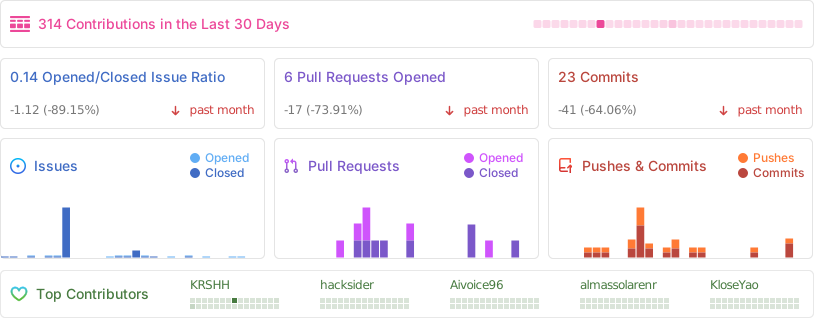
|
||||
|
||||
## Stars to the Moon 🚀
|
||||
|
||||
<a href="https://star-history.com/#hacksider/deep-live-cam&Date">
|
||||
<picture>
|
||||
<source media="(prefers-color-scheme: dark)" srcset="https://api.star-history.com/svg?repos=hacksider/deep-live-cam&type=Date&theme=dark" />
|
||||
<source media="(prefers-color-scheme: light)" srcset="https://api.star-history.com/svg?repos=hacksider/deep-live-cam&type=Date" />
|
||||
<img alt="Star History Chart" src="https://api.star-history.com/svg?repos=hacksider/deep-live-cam&type=Date" />
|
||||
</picture>
|
||||
</a>
|
||||
- [henryruhs](https://github.com/henryruhs): for being an irreplaceable contributor to the project
|
||||
- [ffmpeg](https://ffmpeg.org/): for making video related operations easy
|
||||
- [deepinsight](https://github.com/deepinsight): for their [insightface](https://github.com/deepinsight/insightface) project which provided a well-made library and models.
|
||||
- [havok2-htwo](https://github.com/havok2-htwo) : for sharing the code for webcam
|
||||
- [GosuDRM](https://github.com/GosuDRM/nsfw-roop) : for uncensoring roop
|
||||
- and all developers behind libraries used in this project.
|
||||
|
||||

|
Before Width: | Height: | Size: 11 MiB After Width: | Height: | Size: 11 MiB |

|
After Width: | Height: | Size: 6.2 MiB |

|
After Width: | Height: | Size: 80 KiB |

|
Before Width: | Height: | Size: 73 KiB After Width: | Height: | Size: 73 KiB |
@@ -1,46 +0,0 @@
|
||||
{
|
||||
"Source x Target Mapper": "Quelle x Ziel Zuordnung",
|
||||
"select a source image": "Wähle ein Quellbild",
|
||||
"Preview": "Vorschau",
|
||||
"select a target image or video": "Wähle ein Zielbild oder Video",
|
||||
"save image output file": "Bildausgabedatei speichern",
|
||||
"save video output file": "Videoausgabedatei speichern",
|
||||
"select a target image": "Wähle ein Zielbild",
|
||||
"source": "Quelle",
|
||||
"Select a target": "Wähle ein Ziel",
|
||||
"Select a face": "Wähle ein Gesicht",
|
||||
"Keep audio": "Audio beibehalten",
|
||||
"Face Enhancer": "Gesichtsverbesserung",
|
||||
"Many faces": "Mehrere Gesichter",
|
||||
"Show FPS": "FPS anzeigen",
|
||||
"Keep fps": "FPS beibehalten",
|
||||
"Keep frames": "Frames beibehalten",
|
||||
"Fix Blueish Cam": "Bläuliche Kamera korrigieren",
|
||||
"Mouth Mask": "Mundmaske",
|
||||
"Show Mouth Mask Box": "Mundmaskenrahmen anzeigen",
|
||||
"Start": "Starten",
|
||||
"Live": "Live",
|
||||
"Destroy": "Beenden",
|
||||
"Map faces": "Gesichter zuordnen",
|
||||
"Processing...": "Verarbeitung läuft...",
|
||||
"Processing succeed!": "Verarbeitung erfolgreich!",
|
||||
"Processing ignored!": "Verarbeitung ignoriert!",
|
||||
"Failed to start camera": "Kamera konnte nicht gestartet werden",
|
||||
"Please complete pop-up or close it.": "Bitte das Pop-up komplettieren oder schließen.",
|
||||
"Getting unique faces": "Einzigartige Gesichter erfassen",
|
||||
"Please select a source image first": "Bitte zuerst ein Quellbild auswählen",
|
||||
"No faces found in target": "Keine Gesichter im Zielbild gefunden",
|
||||
"Add": "Hinzufügen",
|
||||
"Clear": "Löschen",
|
||||
"Submit": "Absenden",
|
||||
"Select source image": "Quellbild auswählen",
|
||||
"Select target image": "Zielbild auswählen",
|
||||
"Please provide mapping!": "Bitte eine Zuordnung angeben!",
|
||||
"At least 1 source with target is required!": "Mindestens eine Quelle mit einem Ziel ist erforderlich!",
|
||||
"At least 1 source with target is required!": "Mindestens eine Quelle mit einem Ziel ist erforderlich!",
|
||||
"Face could not be detected in last upload!": "Im letzten Upload konnte kein Gesicht erkannt werden!",
|
||||
"Select Camera:": "Kamera auswählen:",
|
||||
"All mappings cleared!": "Alle Zuordnungen gelöscht!",
|
||||
"Mappings successfully submitted!": "Zuordnungen erfolgreich übermittelt!",
|
||||
"Source x Target Mapper is already open.": "Quell-zu-Ziel-Zuordnung ist bereits geöffnet."
|
||||
}
|
||||
@@ -1,46 +0,0 @@
|
||||
{
|
||||
"Source x Target Mapper": "Mapeador de fuente x destino",
|
||||
"select a source image": "Seleccionar imagen fuente",
|
||||
"Preview": "Vista previa",
|
||||
"select a target image or video": "elegir un video o una imagen fuente",
|
||||
"save image output file": "guardar imagen final",
|
||||
"save video output file": "guardar video final",
|
||||
"select a target image": "elegir una imagen objetiva",
|
||||
"source": "fuente",
|
||||
"Select a target": "Elegir un destino",
|
||||
"Select a face": "Elegir una cara",
|
||||
"Keep audio": "Mantener audio original",
|
||||
"Face Enhancer": "Potenciador de caras",
|
||||
"Many faces": "Varias caras",
|
||||
"Show FPS": "Mostrar fps",
|
||||
"Keep fps": "Mantener fps",
|
||||
"Keep frames": "Mantener frames",
|
||||
"Fix Blueish Cam": "Corregir tono azul de video",
|
||||
"Mouth Mask": "Máscara de boca",
|
||||
"Show Mouth Mask Box": "Mostrar área de la máscara de boca",
|
||||
"Start": "Iniciar",
|
||||
"Live": "En vivo",
|
||||
"Destroy": "Borrar",
|
||||
"Map faces": "Mapear caras",
|
||||
"Processing...": "Procesando...",
|
||||
"Processing succeed!": "¡Proceso terminado con éxito!",
|
||||
"Processing ignored!": "¡Procesamiento omitido!",
|
||||
"Failed to start camera": "No se pudo iniciar la cámara",
|
||||
"Please complete pop-up or close it.": "Complete o cierre el pop-up",
|
||||
"Getting unique faces": "Buscando caras únicas",
|
||||
"Please select a source image first": "Primero, seleccione una imagen fuente",
|
||||
"No faces found in target": "No se encontró una cara en el destino",
|
||||
"Add": "Agregar",
|
||||
"Clear": "Limpiar",
|
||||
"Submit": "Enviar",
|
||||
"Select source image": "Seleccionar imagen fuente",
|
||||
"Select target image": "Seleccionar imagen destino",
|
||||
"Please provide mapping!": "Por favor, proporcione un mapeo",
|
||||
"At least 1 source with target is required!": "Se requiere al menos una fuente con un destino.",
|
||||
"At least 1 source with target is required!": "Se requiere al menos una fuente con un destino.",
|
||||
"Face could not be detected in last upload!": "¡No se pudo encontrar una cara en el último video o imagen!",
|
||||
"Select Camera:": "Elegir cámara:",
|
||||
"All mappings cleared!": "¡Todos los mapeos fueron borrados!",
|
||||
"Mappings successfully submitted!": "Mapeos enviados con éxito!",
|
||||
"Source x Target Mapper is already open.": "El mapeador de fuente x destino ya está abierto."
|
||||
}
|
||||
@@ -1,46 +0,0 @@
|
||||
{
|
||||
"Source x Target Mapper": "Source x Target Kartoitin",
|
||||
"select an source image": "Valitse lähde kuva",
|
||||
"Preview": "Esikatsele",
|
||||
"select an target image or video": "Valitse kohde kuva tai video",
|
||||
"save image output file": "tallenna kuva",
|
||||
"save video output file": "tallenna video",
|
||||
"select an target image": "Valitse kohde kuva",
|
||||
"source": "lähde",
|
||||
"Select a target": "Valitse kohde",
|
||||
"Select a face": "Valitse kasvot",
|
||||
"Keep audio": "Säilytä ääni",
|
||||
"Face Enhancer": "Kasvojen Parantaja",
|
||||
"Many faces": "Useampia kasvoja",
|
||||
"Show FPS": "Näytä FPS",
|
||||
"Keep fps": "Säilytä FPS",
|
||||
"Keep frames": "Säilytä ruudut",
|
||||
"Fix Blueish Cam": "Korjaa Sinertävä Kamera",
|
||||
"Mouth Mask": "Suu Maski",
|
||||
"Show Mouth Mask Box": "Näytä Suu Maski Laatiko",
|
||||
"Start": "Aloita",
|
||||
"Live": "Live",
|
||||
"Destroy": "Tuhoa",
|
||||
"Map faces": "Kartoita kasvot",
|
||||
"Processing...": "Prosessoi...",
|
||||
"Processing succeed!": "Prosessointi onnistui!",
|
||||
"Processing ignored!": "Prosessointi lopetettu!",
|
||||
"Failed to start camera": "Kameran käynnistäminen epäonnistui",
|
||||
"Please complete pop-up or close it.": "Viimeistele tai sulje ponnahdusikkuna",
|
||||
"Getting unique faces": "Hankitaan uniikkeja kasvoja",
|
||||
"Please select a source image first": "Valitse ensin lähde kuva",
|
||||
"No faces found in target": "Kasvoja ei löydetty kohteessa",
|
||||
"Add": "Lisää",
|
||||
"Clear": "Tyhjennä",
|
||||
"Submit": "Lähetä",
|
||||
"Select source image": "Valitse lähde kuva",
|
||||
"Select target image": "Valitse kohde kuva",
|
||||
"Please provide mapping!": "Tarjoa kartoitus!",
|
||||
"Atleast 1 source with target is required!": "Vähintään 1 lähde kohteen kanssa on vaadittu!",
|
||||
"At least 1 source with target is required!": "Vähintään 1 lähde kohteen kanssa on vaadittu!",
|
||||
"Face could not be detected in last upload!": "Kasvoja ei voitu tunnistaa edellisessä latauksessa!",
|
||||
"Select Camera:": "Valitse Kamera:",
|
||||
"All mappings cleared!": "Kaikki kartoitukset tyhjennetty!",
|
||||
"Mappings successfully submitted!": "Kartoitukset lähetety onnistuneesti!",
|
||||
"Source x Target Mapper is already open.": "Lähde x Kohde Kartoittaja on jo auki."
|
||||
}
|
||||
@@ -1,45 +0,0 @@
|
||||
{
|
||||
"Source x Target Mapper": "ប្រភប x បន្ថែម Mapper",
|
||||
"select a source image": "ជ្រើសរើសប្រភពរូបភាព",
|
||||
"Preview": "បង្ហាញ",
|
||||
"select a target image or video": "ជ្រើសរើសគោលដៅរូបភាពឬវីដេអូ",
|
||||
"save image output file": "រក្សាទុកលទ្ធផលឯកសាររូបភាព",
|
||||
"save video output file": "រក្សាទុកលទ្ធផលឯកសារវីដេអូ",
|
||||
"select a target image": "ជ្រើសរើសគោលដៅរូបភាព",
|
||||
"source": "ប្រភព",
|
||||
"Select a target": "ជ្រើសរើសគោលដៅ",
|
||||
"Select a face": "ជ្រើសរើសមុខ",
|
||||
"Keep audio": "រម្លងសម្លេង",
|
||||
"Face Enhancer": "ឧបករណ៍ពង្រឹងមុខ",
|
||||
"Many faces": "ទម្រង់មុខច្រើន",
|
||||
"Show FPS": "បង្ហាញ FPS",
|
||||
"Keep fps": "រម្លង fps",
|
||||
"Keep frames": "រម្លងទម្រង់",
|
||||
"Fix Blueish Cam": "ជួសជុល Cam Blueish",
|
||||
"Mouth Mask": "របាំងមាត់",
|
||||
"Show Mouth Mask Box": "បង្ហាញប្រអប់របាំងមាត់",
|
||||
"Start": "ចាប់ផ្ដើម",
|
||||
"Live": "ផ្សាយផ្ទាល់",
|
||||
"Destroy": "លុប",
|
||||
"Map faces": "ផែនទីមុខ",
|
||||
"Processing...": "កំពុងដំណើរការ...",
|
||||
"Processing succeed!": "ការដំណើរការទទួលបានជោគជ័យ!",
|
||||
"Processing ignored!": "ការដំណើរការមិនទទួលបានជោគជ័យ!",
|
||||
"Failed to start camera": "បរាជ័យដើម្បីចាប់ផ្ដើមបើកកាមេរ៉ា",
|
||||
"Please complete pop-up or close it.": "សូមបញ្ចប់ផ្ទាំងផុស ឬបិទវា.",
|
||||
"Getting unique faces": "ការចាប់ផ្ដើមទម្រង់មុខប្លែក",
|
||||
"Please select a source image first": "សូមជ្រើសរើសប្រភពរូបភាពដំបូង",
|
||||
"No faces found in target": "រកអត់ឃើញមុខនៅក្នុងគោលដៅ",
|
||||
"Add": "បន្ថែម",
|
||||
"Clear": "សម្អាត",
|
||||
"Submit": "បញ្ចូន",
|
||||
"Select source image": "ជ្រើសរើសប្រភពរូបភាព",
|
||||
"Select target image": "ជ្រើសរើសគោលដៅរូបភាព",
|
||||
"Please provide mapping!": "សូមផ្ដល់នៅផែនទី",
|
||||
"At least 1 source with target is required!": "ត្រូវការប្រភពយ៉ាងហោចណាស់ ១ ដែលមានគោលដៅ!",
|
||||
"Face could not be detected in last upload!": "មុខមិនអាចភ្ជាប់នៅក្នុងការបង្ហេាះចុងក្រោយ!",
|
||||
"Select Camera:": "ជ្រើសរើសកាមេរ៉ា",
|
||||
"All mappings cleared!": "ផែនទីទាំងអស់ត្រូវបានសម្អាត!",
|
||||
"Mappings successfully submitted!": "ផែនទីត្រូវបានបញ្ជូនជោគជ័យ!",
|
||||
"Source x Target Mapper is already open.": "ប្រភព x Target Mapper បានបើករួចហើយ។"
|
||||
}
|
||||
@@ -1,45 +0,0 @@
|
||||
{
|
||||
"Source x Target Mapper": "소스 x 타겟 매퍼",
|
||||
"select a source image": "소스 이미지 선택",
|
||||
"Preview": "미리보기",
|
||||
"select a target image or video": "타겟 이미지 또는 영상 선택",
|
||||
"save image output file": "이미지 출력 파일 저장",
|
||||
"save video output file": "영상 출력 파일 저장",
|
||||
"select a target image": "타겟 이미지 선택",
|
||||
"source": "소스",
|
||||
"Select a target": "타겟 선택",
|
||||
"Select a face": "얼굴 선택",
|
||||
"Keep audio": "오디오 유지",
|
||||
"Face Enhancer": "얼굴 향상",
|
||||
"Many faces": "여러 얼굴",
|
||||
"Show FPS": "FPS 표시",
|
||||
"Keep fps": "FPS 유지",
|
||||
"Keep frames": "프레임 유지",
|
||||
"Fix Blueish Cam": "푸른빛 카메라 보정",
|
||||
"Mouth Mask": "입 마스크",
|
||||
"Show Mouth Mask Box": "입 마스크 박스 표시",
|
||||
"Start": "시작",
|
||||
"Live": "라이브",
|
||||
"Destroy": "종료",
|
||||
"Map faces": "얼굴 매핑",
|
||||
"Processing...": "처리 중...",
|
||||
"Processing succeed!": "처리 성공!",
|
||||
"Processing ignored!": "처리 무시됨!",
|
||||
"Failed to start camera": "카메라 시작 실패",
|
||||
"Please complete pop-up or close it.": "팝업을 완료하거나 닫아주세요.",
|
||||
"Getting unique faces": "고유 얼굴 가져오는 중",
|
||||
"Please select a source image first": "먼저 소스 이미지를 선택해주세요",
|
||||
"No faces found in target": "타겟에서 얼굴을 찾을 수 없음",
|
||||
"Add": "추가",
|
||||
"Clear": "지우기",
|
||||
"Submit": "제출",
|
||||
"Select source image": "소스 이미지 선택",
|
||||
"Select target image": "타겟 이미지 선택",
|
||||
"Please provide mapping!": "매핑을 입력해주세요!",
|
||||
"At least 1 source with target is required!": "최소 하나의 소스와 타겟이 필요합니다!",
|
||||
"Face could not be detected in last upload!": "최근 업로드에서 얼굴을 감지할 수 없습니다!",
|
||||
"Select Camera:": "카메라 선택:",
|
||||
"All mappings cleared!": "모든 매핑이 삭제되었습니다!",
|
||||
"Mappings successfully submitted!": "매핑이 성공적으로 제출되었습니다!",
|
||||
"Source x Target Mapper is already open.": "소스 x 타겟 매퍼가 이미 열려 있습니다."
|
||||
}
|
||||
@@ -1,46 +0,0 @@
|
||||
{
|
||||
"Source x Target Mapper": "Mapeador de Origem x Destino",
|
||||
"select an source image": "Escolha uma imagem de origem",
|
||||
"Preview": "Prévia",
|
||||
"select an target image or video": "Escolha uma imagem ou vídeo de destino",
|
||||
"save image output file": "Salvar imagem final",
|
||||
"save video output file": "Salvar vídeo final",
|
||||
"select an target image": "Escolha uma imagem de destino",
|
||||
"source": "Origem",
|
||||
"Select a target": "Escolha o destino",
|
||||
"Select a face": "Escolha um rosto",
|
||||
"Keep audio": "Manter o áudio original",
|
||||
"Face Enhancer": "Melhorar rosto",
|
||||
"Many faces": "Vários rostos",
|
||||
"Show FPS": "Mostrar FPS",
|
||||
"Keep fps": "Manter FPS",
|
||||
"Keep frames": "Manter frames",
|
||||
"Fix Blueish Cam": "Corrigir tom azulado da câmera",
|
||||
"Mouth Mask": "Máscara da boca",
|
||||
"Show Mouth Mask Box": "Mostrar área da máscara da boca",
|
||||
"Start": "Começar",
|
||||
"Live": "Ao vivo",
|
||||
"Destroy": "Destruir",
|
||||
"Map faces": "Mapear rostos",
|
||||
"Processing...": "Processando...",
|
||||
"Processing succeed!": "Tudo certo!",
|
||||
"Processing ignored!": "Processamento ignorado!",
|
||||
"Failed to start camera": "Não foi possível iniciar a câmera",
|
||||
"Please complete pop-up or close it.": "Finalize ou feche o pop-up",
|
||||
"Getting unique faces": "Buscando rostos diferentes",
|
||||
"Please select a source image first": "Selecione primeiro uma imagem de origem",
|
||||
"No faces found in target": "Nenhum rosto encontrado na imagem de destino",
|
||||
"Add": "Adicionar",
|
||||
"Clear": "Limpar",
|
||||
"Submit": "Enviar",
|
||||
"Select source image": "Escolha a imagem de origem",
|
||||
"Select target image": "Escolha a imagem de destino",
|
||||
"Please provide mapping!": "Você precisa realizar o mapeamento!",
|
||||
"Atleast 1 source with target is required!": "É necessária pelo menos uma origem com um destino!",
|
||||
"At least 1 source with target is required!": "É necessária pelo menos uma origem com um destino!",
|
||||
"Face could not be detected in last upload!": "Não conseguimos detectar o rosto na última imagem!",
|
||||
"Select Camera:": "Escolher câmera:",
|
||||
"All mappings cleared!": "Todos os mapeamentos foram removidos!",
|
||||
"Mappings successfully submitted!": "Mapeamentos enviados com sucesso!",
|
||||
"Source x Target Mapper is already open.": "O Mapeador de Origem x Destino já está aberto."
|
||||
}
|
||||
@@ -1,45 +0,0 @@
|
||||
{
|
||||
"Source x Target Mapper": "Сопоставитель Источник x Цель",
|
||||
"select a source image": "выберите исходное изображение",
|
||||
"Preview": "Предпросмотр",
|
||||
"select a target image or video": "выберите целевое изображение или видео",
|
||||
"save image output file": "сохранить выходной файл изображения",
|
||||
"save video output file": "сохранить выходной файл видео",
|
||||
"select a target image": "выберите целевое изображение",
|
||||
"source": "источник",
|
||||
"Select a target": "Выберите целевое изображение",
|
||||
"Select a face": "Выберите лицо",
|
||||
"Keep audio": "Сохранить аудио",
|
||||
"Face Enhancer": "Улучшение лица",
|
||||
"Many faces": "Несколько лиц",
|
||||
"Show FPS": "Показать FPS",
|
||||
"Keep fps": "Сохранить FPS",
|
||||
"Keep frames": "Сохранить кадры",
|
||||
"Fix Blueish Cam": "Исправить синеву камеры",
|
||||
"Mouth Mask": "Маска рта",
|
||||
"Show Mouth Mask Box": "Показать рамку маски рта",
|
||||
"Start": "Старт",
|
||||
"Live": "В реальном времени",
|
||||
"Destroy": "Остановить",
|
||||
"Map faces": "Сопоставить лица",
|
||||
"Processing...": "Обработка...",
|
||||
"Processing succeed!": "Обработка успешна!",
|
||||
"Processing ignored!": "Обработка проигнорирована!",
|
||||
"Failed to start camera": "Не удалось запустить камеру",
|
||||
"Please complete pop-up or close it.": "Пожалуйста, заполните всплывающее окно или закройте его.",
|
||||
"Getting unique faces": "Получение уникальных лиц",
|
||||
"Please select a source image first": "Сначала выберите исходное изображение, пожалуйста",
|
||||
"No faces found in target": "В целевом изображении не найдено лиц",
|
||||
"Add": "Добавить",
|
||||
"Clear": "Очистить",
|
||||
"Submit": "Отправить",
|
||||
"Select source image": "Выбрать исходное изображение",
|
||||
"Select target image": "Выбрать целевое изображение",
|
||||
"Please provide mapping!": "Пожалуйста, укажите сопоставление!",
|
||||
"At least 1 source with target is required!": "Требуется хотя бы 1 источник с целью!",
|
||||
"Face could not be detected in last upload!": "Лицо не обнаружено в последнем загруженном изображении!",
|
||||
"Select Camera:": "Выберите камеру:",
|
||||
"All mappings cleared!": "Все сопоставления очищены!",
|
||||
"Mappings successfully submitted!": "Сопоставления успешно отправлены!",
|
||||
"Source x Target Mapper is already open.": "Сопоставитель Источник-Цель уже открыт."
|
||||
}
|
||||
@@ -1,45 +0,0 @@
|
||||
{
|
||||
"Source x Target Mapper": "ตัวจับคู่ต้นทาง x ปลายทาง",
|
||||
"select a source image": "เลือกรูปภาพต้นฉบับ",
|
||||
"Preview": "ตัวอย่าง",
|
||||
"select a target image or video": "เลือกรูปภาพหรือวิดีโอเป้าหมาย",
|
||||
"save image output file": "บันทึกไฟล์รูปภาพ",
|
||||
"save video output file": "บันทึกไฟล์วิดีโอ",
|
||||
"select a target image": "เลือกรูปภาพเป้าหมาย",
|
||||
"source": "ต้นฉบับ",
|
||||
"Select a target": "เลือกเป้าหมาย",
|
||||
"Select a face": "เลือกใบหน้า",
|
||||
"Keep audio": "เก็บเสียง",
|
||||
"Face Enhancer": "ปรับปรุงใบหน้า",
|
||||
"Many faces": "หลายใบหน้า",
|
||||
"Show FPS": "แสดง FPS",
|
||||
"Keep fps": "คงค่า FPS",
|
||||
"Keep frames": "คงค่าเฟรม",
|
||||
"Fix Blueish Cam": "แก้ไขภาพอมฟ้าจากกล้อง",
|
||||
"Mouth Mask": "มาสก์ปาก",
|
||||
"Show Mouth Mask Box": "แสดงกรอบมาสก์ปาก",
|
||||
"Start": "เริ่ม",
|
||||
"Live": "สด",
|
||||
"Destroy": "หยุด",
|
||||
"Map faces": "จับคู่ใบหน้า",
|
||||
"Processing...": "กำลังประมวลผล...",
|
||||
"Processing succeed!": "ประมวลผลสำเร็จแล้ว!",
|
||||
"Processing ignored!": "การประมวลผลถูกละเว้น",
|
||||
"Failed to start camera": "ไม่สามารถเริ่มกล้องได้",
|
||||
"Please complete pop-up or close it.": "โปรดดำเนินการในป๊อปอัปให้เสร็จสิ้น หรือปิด",
|
||||
"Getting unique faces": "กำลังค้นหาใบหน้าที่ไม่ซ้ำกัน",
|
||||
"Please select a source image first": "โปรดเลือกภาพต้นฉบับก่อน",
|
||||
"No faces found in target": "ไม่พบใบหน้าในภาพเป้าหมาย",
|
||||
"Add": "เพิ่ม",
|
||||
"Clear": "ล้าง",
|
||||
"Submit": "ส่ง",
|
||||
"Select source image": "เลือกภาพต้นฉบับ",
|
||||
"Select target image": "เลือกภาพเป้าหมาย",
|
||||
"Please provide mapping!": "โปรดระบุการจับคู่!",
|
||||
"At least 1 source with target is required!": "ต้องมีการจับคู่ต้นฉบับกับเป้าหมายอย่างน้อย 1 คู่!",
|
||||
"Face could not be detected in last upload!": "ไม่สามารถตรวจพบใบหน้าในไฟล์อัปโหลดล่าสุด!",
|
||||
"Select Camera:": "เลือกกล้อง:",
|
||||
"All mappings cleared!": "ล้างการจับคู่ทั้งหมดแล้ว!",
|
||||
"Mappings successfully submitted!": "ส่งการจับคู่สำเร็จแล้ว!",
|
||||
"Source x Target Mapper is already open.": "ตัวจับคู่ต้นทาง x ปลายทาง เปิดอยู่แล้ว"
|
||||
}
|
||||
@@ -1,46 +0,0 @@
|
||||
{
|
||||
"Source x Target Mapper": "Source x Target Mapper",
|
||||
"select a source image": "选择一个源图像",
|
||||
"Preview": "预览",
|
||||
"select a target image or video": "选择一个目标图像或视频",
|
||||
"save image output file": "保存图像输出文件",
|
||||
"save video output file": "保存视频输出文件",
|
||||
"select a target image": "选择一个目标图像",
|
||||
"source": "源",
|
||||
"Select a target": "选择一个目标",
|
||||
"Select a face": "选择一张脸",
|
||||
"Keep audio": "保留音频",
|
||||
"Face Enhancer": "面纹增强器",
|
||||
"Many faces": "多脸",
|
||||
"Show FPS": "显示帧率",
|
||||
"Keep fps": "保持帧率",
|
||||
"Keep frames": "保持帧数",
|
||||
"Fix Blueish Cam": "修复偏蓝的摄像头",
|
||||
"Mouth Mask": "口罩",
|
||||
"Show Mouth Mask Box": "显示口罩盒",
|
||||
"Start": "开始",
|
||||
"Live": "直播",
|
||||
"Destroy": "结束",
|
||||
"Map faces": "识别人脸",
|
||||
"Processing...": "处理中...",
|
||||
"Processing succeed!": "处理成功!",
|
||||
"Processing ignored!": "处理被忽略!",
|
||||
"Failed to start camera": "启动相机失败",
|
||||
"Please complete pop-up or close it.": "请先完成弹出窗口或者关闭它",
|
||||
"Getting unique faces": "获取独特面部",
|
||||
"Please select a source image first": "请先选择一个源图像",
|
||||
"No faces found in target": "目标图像中没有人脸",
|
||||
"Add": "添加",
|
||||
"Clear": "清除",
|
||||
"Submit": "确认",
|
||||
"Select source image": "请选取源图像",
|
||||
"Select target image": "请选取目标图像",
|
||||
"Please provide mapping!": "请提供映射",
|
||||
"At least 1 source with target is required!": "至少需要一个来源图像与目标图像相关!",
|
||||
"At least 1 source with target is required!": "至少需要一个来源图像与目标图像相关!",
|
||||
"Face could not be detected in last upload!": "最近上传的图像中没有检测到人脸!",
|
||||
"Select Camera:": "选择摄像头",
|
||||
"All mappings cleared!": "所有映射均已清除!",
|
||||
"Mappings successfully submitted!": "成功提交映射!",
|
||||
"Source x Target Mapper is already open.": "源 x 目标映射器已打开。"
|
||||
}
|
||||

|
Before Width: | Height: | Size: 9.6 KiB |

|
Before Width: | Height: | Size: 5.2 MiB |

|
Before Width: | Height: | Size: 2.8 MiB |

|
Before Width: | Height: | Size: 8.2 MiB |

|
Before Width: | Height: | Size: 5.3 MiB |

|
Before Width: | Height: | Size: 5.0 MiB |

|
Before Width: | Height: | Size: 14 MiB |

|
Before Width: | Height: | Size: 13 MiB |
@@ -1,4 +1 @@
|
||||
just put the models in this folder -
|
||||
|
||||
https://huggingface.co/hacksider/deep-live-cam/resolve/main/inswapper_128_fp16.onnx?download=true
|
||||
https://github.com/TencentARC/GFPGAN/releases/download/v1.3.4/GFPGANv1.4.pth
|
||||
just put the models in this folder
|
||||
@@ -1,18 +0,0 @@
|
||||
import os
|
||||
import cv2
|
||||
import numpy as np
|
||||
|
||||
# Utility function to support unicode characters in file paths for reading
|
||||
def imread_unicode(path, flags=cv2.IMREAD_COLOR):
|
||||
return cv2.imdecode(np.fromfile(path, dtype=np.uint8), flags)
|
||||
|
||||
# Utility function to support unicode characters in file paths for writing
|
||||
def imwrite_unicode(path, img, params=None):
|
||||
root, ext = os.path.splitext(path)
|
||||
if not ext:
|
||||
ext = ".png"
|
||||
result, encoded_img = cv2.imencode(ext, img, params if params else [])
|
||||
result, encoded_img = cv2.imencode(f".{ext}", img, params if params is not None else [])
|
||||
encoded_img.tofile(path)
|
||||
return True
|
||||
return False
|
||||
@@ -1,32 +1,38 @@
|
||||
from typing import Any
|
||||
from typing import Any, Optional
|
||||
import cv2
|
||||
import modules.globals # Import the globals to check the color correction toggle
|
||||
|
||||
|
||||
def get_video_frame(video_path: str, frame_number: int = 0) -> Any:
|
||||
def get_video_frame(video_path: str, frame_number: int = 0) -> Optional[Any]:
|
||||
"""Retrieve a specific frame from a video."""
|
||||
capture = cv2.VideoCapture(video_path)
|
||||
|
||||
# Set MJPEG format to ensure correct color space handling
|
||||
capture.set(cv2.CAP_PROP_FOURCC, cv2.VideoWriter_fourcc(*'MJPG'))
|
||||
|
||||
# Only force RGB conversion if color correction is enabled
|
||||
if modules.globals.color_correction:
|
||||
capture.set(cv2.CAP_PROP_CONVERT_RGB, 1)
|
||||
|
||||
frame_total = capture.get(cv2.CAP_PROP_FRAME_COUNT)
|
||||
capture.set(cv2.CAP_PROP_POS_FRAMES, min(frame_total, frame_number - 1))
|
||||
if not capture.isOpened():
|
||||
print(f"Error: Cannot open video file {video_path}")
|
||||
return None
|
||||
|
||||
frame_total = int(capture.get(cv2.CAP_PROP_FRAME_COUNT))
|
||||
|
||||
# Ensure frame_number is within the valid range
|
||||
frame_number = max(0, min(frame_number, frame_total - 1))
|
||||
|
||||
capture.set(cv2.CAP_PROP_POS_FRAMES, frame_number)
|
||||
has_frame, frame = capture.read()
|
||||
|
||||
if has_frame and modules.globals.color_correction:
|
||||
# Convert the frame color if necessary
|
||||
frame = cv2.cvtColor(frame, cv2.COLOR_BGR2RGB)
|
||||
|
||||
capture.release()
|
||||
return frame if has_frame else None
|
||||
|
||||
if not has_frame:
|
||||
print(f"Error: Cannot read frame {frame_number} from {video_path}")
|
||||
return None
|
||||
|
||||
return frame
|
||||
|
||||
def get_video_frame_total(video_path: str) -> int:
|
||||
"""Get the total number of frames in a video."""
|
||||
capture = cv2.VideoCapture(video_path)
|
||||
video_frame_total = int(capture.get(cv2.CAP_PROP_FRAME_COUNT))
|
||||
|
||||
if not capture.isOpened():
|
||||
print(f"Error: Cannot open video file {video_path}")
|
||||
return 0
|
||||
|
||||
frame_total = int(capture.get(cv2.CAP_PROP_FRAME_COUNT))
|
||||
capture.release()
|
||||
return video_frame_total
|
||||
|
||||
return frame_total
|
||||
|
||||
@@ -1,32 +0,0 @@
|
||||
import numpy as np
|
||||
from sklearn.cluster import KMeans
|
||||
from sklearn.metrics import silhouette_score
|
||||
from typing import Any
|
||||
|
||||
|
||||
def find_cluster_centroids(embeddings, max_k=10) -> Any:
|
||||
inertia = []
|
||||
cluster_centroids = []
|
||||
K = range(1, max_k+1)
|
||||
|
||||
for k in K:
|
||||
kmeans = KMeans(n_clusters=k, random_state=0)
|
||||
kmeans.fit(embeddings)
|
||||
inertia.append(kmeans.inertia_)
|
||||
cluster_centroids.append({"k": k, "centroids": kmeans.cluster_centers_})
|
||||
|
||||
diffs = [inertia[i] - inertia[i+1] for i in range(len(inertia)-1)]
|
||||
optimal_centroids = cluster_centroids[diffs.index(max(diffs)) + 1]['centroids']
|
||||
|
||||
return optimal_centroids
|
||||
|
||||
def find_closest_centroid(centroids: list, normed_face_embedding) -> list:
|
||||
try:
|
||||
centroids = np.array(centroids)
|
||||
normed_face_embedding = np.array(normed_face_embedding)
|
||||
similarities = np.dot(centroids, normed_face_embedding)
|
||||
closest_centroid_index = np.argmax(similarities)
|
||||
|
||||
return closest_centroid_index, centroids[closest_centroid_index]
|
||||
except ValueError:
|
||||
return None
|
||||
@@ -1,16 +1,17 @@
|
||||
import os
|
||||
import sys
|
||||
# single thread doubles cuda performance - needs to be set before torch import
|
||||
if any(arg.startswith('--execution-provider') for arg in sys.argv):
|
||||
os.environ['OMP_NUM_THREADS'] = '1'
|
||||
# reduce tensorflow log level
|
||||
os.environ['TF_CPP_MIN_LOG_LEVEL'] = '2'
|
||||
import warnings
|
||||
from typing import List
|
||||
import platform
|
||||
import signal
|
||||
import shutil
|
||||
import argparse
|
||||
from typing import List
|
||||
|
||||
# Set environment variables for CUDA performance and TensorFlow logging
|
||||
if any(arg.startswith('--execution-provider') for arg in sys.argv):
|
||||
os.environ['OMP_NUM_THREADS'] = '1'
|
||||
os.environ['TF_CPP_MIN_LOG_LEVEL'] = '2'
|
||||
|
||||
import torch
|
||||
import onnxruntime
|
||||
import tensorflow
|
||||
@@ -19,40 +20,73 @@ import modules.globals
|
||||
import modules.metadata
|
||||
import modules.ui as ui
|
||||
from modules.processors.frame.core import get_frame_processors_modules
|
||||
from modules.utilities import has_image_extension, is_image, is_video, detect_fps, create_video, extract_frames, get_temp_frame_paths, restore_audio, create_temp, move_temp, clean_temp, normalize_output_path
|
||||
|
||||
if 'ROCMExecutionProvider' in modules.globals.execution_providers:
|
||||
del torch
|
||||
from modules.utilities import (
|
||||
has_image_extension,
|
||||
is_image,
|
||||
is_video,
|
||||
detect_fps,
|
||||
create_video,
|
||||
extract_frames,
|
||||
get_temp_frame_paths,
|
||||
restore_audio,
|
||||
create_temp,
|
||||
move_temp,
|
||||
clean_temp,
|
||||
normalize_output_path
|
||||
)
|
||||
|
||||
# Filter warnings
|
||||
warnings.filterwarnings('ignore', category=FutureWarning, module='insightface')
|
||||
warnings.filterwarnings('ignore', category=UserWarning, module='torchvision')
|
||||
|
||||
# Cross-platform resource management
|
||||
if platform.system() == 'Darwin' and 'ROCMExecutionProvider' in modules.globals.execution_providers:
|
||||
del torch
|
||||
|
||||
|
||||
def parse_args() -> None:
|
||||
signal.signal(signal.SIGINT, lambda signal_number, frame: destroy())
|
||||
program = argparse.ArgumentParser()
|
||||
program.add_argument('-s', '--source', help='select an source image', dest='source_path')
|
||||
program.add_argument('-t', '--target', help='select an target image or video', dest='target_path')
|
||||
program.add_argument('-o', '--output', help='select output file or directory', dest='output_path')
|
||||
program.add_argument('--frame-processor', help='pipeline of frame processors', dest='frame_processor', default=['face_swapper'], choices=['face_swapper', 'face_enhancer'], nargs='+')
|
||||
program.add_argument('--keep-fps', help='keep original fps', dest='keep_fps', action='store_true', default=False)
|
||||
program.add_argument('--keep-audio', help='keep original audio', dest='keep_audio', action='store_true', default=True)
|
||||
program.add_argument('--keep-frames', help='keep temporary frames', dest='keep_frames', action='store_true', default=False)
|
||||
program.add_argument('--many-faces', help='process every face', dest='many_faces', action='store_true', default=False)
|
||||
program.add_argument('--nsfw-filter', help='filter the NSFW image or video', dest='nsfw_filter', action='store_true', default=False)
|
||||
program.add_argument('--map-faces', help='map source target faces', dest='map_faces', action='store_true', default=False)
|
||||
program.add_argument('--mouth-mask', help='mask the mouth region', dest='mouth_mask', action='store_true', default=False)
|
||||
program.add_argument('--video-encoder', help='adjust output video encoder', dest='video_encoder', default='libx264', choices=['libx264', 'libx265', 'libvpx-vp9'])
|
||||
program.add_argument('--video-quality', help='adjust output video quality', dest='video_quality', type=int, default=18, choices=range(52), metavar='[0-51]')
|
||||
program.add_argument('-l', '--lang', help='Ui language', default="en")
|
||||
program.add_argument('--live-mirror', help='The live camera display as you see it in the front-facing camera frame', dest='live_mirror', action='store_true', default=False)
|
||||
program.add_argument('--live-resizable', help='The live camera frame is resizable', dest='live_resizable', action='store_true', default=False)
|
||||
program.add_argument('--max-memory', help='maximum amount of RAM in GB', dest='max_memory', type=int, default=suggest_max_memory())
|
||||
program.add_argument('--execution-provider', help='execution provider', dest='execution_provider', default=['cpu'], choices=suggest_execution_providers(), nargs='+')
|
||||
program.add_argument('--execution-threads', help='number of execution threads', dest='execution_threads', type=int, default=suggest_execution_threads())
|
||||
program.add_argument('-v', '--version', action='version', version=f'{modules.metadata.name} {modules.metadata.version}')
|
||||
program.add_argument('-s', '--source', help='Select a source image', dest='source_path')
|
||||
program.add_argument('-t', '--target', help='Select a target image or video', dest='target_path')
|
||||
program.add_argument('-o', '--output', help='Select output file or directory', dest='output_path')
|
||||
program.add_argument('--frame-processor', help='Pipeline of frame processors', dest='frame_processor',
|
||||
default=['face_swapper'], choices=['face_swapper', 'face_enhancer', 'super_resolution'],
|
||||
nargs='+')
|
||||
program.add_argument('--keep-fps', help='Keep original fps', dest='keep_fps', action='store_true', default=False)
|
||||
program.add_argument('--keep-audio', help='Keep original audio', dest='keep_audio', action='store_true',
|
||||
default=True)
|
||||
program.add_argument('--keep-frames', help='Keep temporary frames', dest='keep_frames', action='store_true',
|
||||
default=False)
|
||||
program.add_argument('--many-faces', help='Process every face', dest='many_faces', action='store_true',
|
||||
default=False)
|
||||
program.add_argument('--video-encoder', help='Adjust output video encoder', dest='video_encoder', default='libx264',
|
||||
choices=['libx264', 'libx265', 'libvpx-vp9'])
|
||||
program.add_argument('--video-quality', help='Adjust output video quality', dest='video_quality', type=int,
|
||||
default=18,
|
||||
choices=range(52), metavar='[0-51]')
|
||||
program.add_argument('--live-mirror', help='The live camera display as you see it in the front-facing camera frame',
|
||||
dest='live_mirror', action='store_true', default=False)
|
||||
program.add_argument('--live-resizable', help='The live camera frame is resizable',
|
||||
dest='live_resizable', action='store_true', default=False)
|
||||
program.add_argument('--max-memory', help='Maximum amount of RAM in GB', dest='max_memory', type=int,
|
||||
default=suggest_max_memory())
|
||||
program.add_argument('--execution-provider', help='Execution provider', dest='execution_provider', default=['cpu'],
|
||||
choices=suggest_execution_providers(), nargs='+')
|
||||
program.add_argument('--execution-threads', help='Number of execution threads', dest='execution_threads', type=int,
|
||||
default=suggest_execution_threads())
|
||||
program.add_argument('--headless', help='Run in headless mode', dest='headless', default=False, action='store_true')
|
||||
program.add_argument('--enhancer-upscale-factor',
|
||||
help='Sets the upscale factor for the enhancer. Only applies if `face_enhancer` is set as a frame-processor',
|
||||
dest='enhancer_upscale_factor', type=int, default=1)
|
||||
program.add_argument('--source-image-scaling-factor', help='Set the upscale factor for source images',
|
||||
dest='source_image_scaling_factor', default=2, type=int)
|
||||
program.add_argument('-r', '--super-resolution-scale-factor', dest='super_resolution_scale_factor',
|
||||
help='Set the upscale factor for super resolution', default=4, choices=[2, 3, 4], type=int)
|
||||
program.add_argument('-v', '--version', action='version',
|
||||
version=f'{modules.metadata.name} {modules.metadata.version}')
|
||||
|
||||
# register deprecated args
|
||||
# Register deprecated args
|
||||
program.add_argument('-f', '--face', help=argparse.SUPPRESS, dest='source_path_deprecated')
|
||||
program.add_argument('--cpu-cores', help=argparse.SUPPRESS, dest='cpu_cores_deprecated', type=int)
|
||||
program.add_argument('--gpu-vendor', help=argparse.SUPPRESS, dest='gpu_vendor_deprecated')
|
||||
@@ -62,16 +96,14 @@ def parse_args() -> None:
|
||||
|
||||
modules.globals.source_path = args.source_path
|
||||
modules.globals.target_path = args.target_path
|
||||
modules.globals.output_path = normalize_output_path(modules.globals.source_path, modules.globals.target_path, args.output_path)
|
||||
modules.globals.output_path = normalize_output_path(modules.globals.source_path, modules.globals.target_path,
|
||||
args.output_path)
|
||||
modules.globals.frame_processors = args.frame_processor
|
||||
modules.globals.headless = args.source_path or args.target_path or args.output_path
|
||||
modules.globals.keep_fps = args.keep_fps
|
||||
modules.globals.keep_audio = args.keep_audio
|
||||
modules.globals.keep_frames = args.keep_frames
|
||||
modules.globals.many_faces = args.many_faces
|
||||
modules.globals.mouth_mask = args.mouth_mask
|
||||
modules.globals.nsfw_filter = args.nsfw_filter
|
||||
modules.globals.map_faces = args.map_faces
|
||||
modules.globals.video_encoder = args.video_encoder
|
||||
modules.globals.video_quality = args.video_quality
|
||||
modules.globals.live_mirror = args.live_mirror
|
||||
@@ -79,19 +111,26 @@ def parse_args() -> None:
|
||||
modules.globals.max_memory = args.max_memory
|
||||
modules.globals.execution_providers = decode_execution_providers(args.execution_provider)
|
||||
modules.globals.execution_threads = args.execution_threads
|
||||
modules.globals.lang = args.lang
|
||||
modules.globals.headless = args.headless
|
||||
modules.globals.enhancer_upscale_factor = args.enhancer_upscale_factor
|
||||
modules.globals.source_image_scaling_factor = args.source_image_scaling_factor
|
||||
modules.globals.sr_scale_factor = args.super_resolution_scale_factor
|
||||
# Handle face enhancer tumbler
|
||||
modules.globals.fp_ui['face_enhancer'] = 'face_enhancer' in args.frame_processor
|
||||
|
||||
#for ENHANCER tumbler:
|
||||
if 'face_enhancer' in args.frame_processor:
|
||||
modules.globals.fp_ui['face_enhancer'] = True
|
||||
else:
|
||||
modules.globals.fp_ui['face_enhancer'] = False
|
||||
modules.globals.nsfw = False
|
||||
|
||||
# translate deprecated args
|
||||
# Handle deprecated arguments
|
||||
handle_deprecated_args(args)
|
||||
|
||||
|
||||
def handle_deprecated_args(args) -> None:
|
||||
"""Handle deprecated arguments by translating them to the new format."""
|
||||
if args.source_path_deprecated:
|
||||
print('\033[33mArgument -f and --face are deprecated. Use -s and --source instead.\033[0m')
|
||||
modules.globals.source_path = args.source_path_deprecated
|
||||
modules.globals.output_path = normalize_output_path(args.source_path_deprecated, modules.globals.target_path, args.output_path)
|
||||
modules.globals.output_path = normalize_output_path(args.source_path_deprecated, modules.globals.target_path,
|
||||
args.output_path)
|
||||
if args.cpu_cores_deprecated:
|
||||
print('\033[33mArgument --cpu-cores is deprecated. Use --execution-threads instead.\033[0m')
|
||||
modules.globals.execution_threads = args.cpu_cores_deprecated
|
||||
@@ -102,7 +141,7 @@ def parse_args() -> None:
|
||||
print('\033[33mArgument --gpu-vendor nvidia is deprecated. Use --execution-provider cuda instead.\033[0m')
|
||||
modules.globals.execution_providers = decode_execution_providers(['cuda'])
|
||||
if args.gpu_vendor_deprecated == 'amd':
|
||||
print('\033[33mArgument --gpu-vendor amd is deprecated. Use --execution-provider cuda instead.\033[0m')
|
||||
print('\033[33mArgument --gpu-vendor amd is deprecated. Use --execution-provider rocm instead.\033[0m')
|
||||
modules.globals.execution_providers = decode_execution_providers(['rocm'])
|
||||
if args.gpu_threads_deprecated:
|
||||
print('\033[33mArgument --gpu-threads is deprecated. Use --execution-threads instead.\033[0m')
|
||||
@@ -110,18 +149,22 @@ def parse_args() -> None:
|
||||
|
||||
|
||||
def encode_execution_providers(execution_providers: List[str]) -> List[str]:
|
||||
return [execution_provider.replace('ExecutionProvider', '').lower() for execution_provider in execution_providers]
|
||||
return [provider.replace('ExecutionProvider', '').lower() for provider in execution_providers]
|
||||
|
||||
|
||||
def decode_execution_providers(execution_providers: List[str]) -> List[str]:
|
||||
return [provider for provider, encoded_execution_provider in zip(onnxruntime.get_available_providers(), encode_execution_providers(onnxruntime.get_available_providers()))
|
||||
if any(execution_provider in encoded_execution_provider for execution_provider in execution_providers)]
|
||||
available_providers = onnxruntime.get_available_providers()
|
||||
encoded_providers = encode_execution_providers(available_providers)
|
||||
|
||||
selected_providers = [available_providers[encoded_providers.index(req)] for req in execution_providers
|
||||
if req in encoded_providers]
|
||||
|
||||
# Default to CPU if no suitable providers are found
|
||||
return selected_providers if selected_providers else ['CPUExecutionProvider']
|
||||
|
||||
|
||||
def suggest_max_memory() -> int:
|
||||
if platform.system().lower() == 'darwin':
|
||||
return 4
|
||||
return 16
|
||||
return 4 if platform.system().lower() == 'darwin' else 16
|
||||
|
||||
|
||||
def suggest_execution_providers() -> List[str]:
|
||||
@@ -129,34 +172,43 @@ def suggest_execution_providers() -> List[str]:
|
||||
|
||||
|
||||
def suggest_execution_threads() -> int:
|
||||
if 'DmlExecutionProvider' in modules.globals.execution_providers:
|
||||
if 'dml' in modules.globals.execution_providers:
|
||||
return 1
|
||||
if 'ROCMExecutionProvider' in modules.globals.execution_providers:
|
||||
if 'rocm' in modules.globals.execution_providers:
|
||||
return 1
|
||||
return 8
|
||||
|
||||
|
||||
def limit_resources() -> None:
|
||||
# prevent tensorflow memory leak
|
||||
# Prevent TensorFlow memory leak
|
||||
gpus = tensorflow.config.experimental.list_physical_devices('GPU')
|
||||
for gpu in gpus:
|
||||
tensorflow.config.experimental.set_memory_growth(gpu, True)
|
||||
# limit memory usage
|
||||
|
||||
# Limit memory usage
|
||||
if modules.globals.max_memory:
|
||||
memory = modules.globals.max_memory * 1024 ** 3
|
||||
if platform.system().lower() == 'darwin':
|
||||
memory = modules.globals.max_memory * 1024 ** 6
|
||||
if platform.system().lower() == 'windows':
|
||||
memory = modules.globals.max_memory * 1024 ** 3
|
||||
elif platform.system().lower() == 'windows':
|
||||
import ctypes
|
||||
kernel32 = ctypes.windll.kernel32
|
||||
kernel32.SetProcessWorkingSetSize(-1, ctypes.c_size_t(memory), ctypes.c_size_t(memory))
|
||||
else:
|
||||
import resource
|
||||
resource.setrlimit(resource.RLIMIT_DATA, (memory, memory))
|
||||
try:
|
||||
soft, hard = resource.getrlimit(resource.RLIMIT_DATA)
|
||||
if memory > hard:
|
||||
print(
|
||||
f"Warning: Requested memory limit {memory / (1024 ** 3)} GB exceeds system's hard limit. Setting to maximum allowed {hard / (1024 ** 3)} GB.")
|
||||
memory = hard
|
||||
resource.setrlimit(resource.RLIMIT_DATA, (memory, memory))
|
||||
except ValueError as e:
|
||||
print(f"Warning: Could not set memory limit: {e}. Continuing with default limits.")
|
||||
|
||||
|
||||
def release_resources() -> None:
|
||||
if 'CUDAExecutionProvider' in modules.globals.execution_providers:
|
||||
if 'cuda' in modules.globals.execution_providers:
|
||||
torch.cuda.empty_cache()
|
||||
|
||||
|
||||
@@ -167,52 +219,86 @@ def pre_check() -> bool:
|
||||
if not shutil.which('ffmpeg'):
|
||||
update_status('ffmpeg is not installed.')
|
||||
return False
|
||||
if 'cuda' in modules.globals.execution_providers and not torch.cuda.is_available():
|
||||
update_status('CUDA is not available. Please check your GPU or CUDA installation.')
|
||||
return False
|
||||
return True
|
||||
|
||||
|
||||
def update_status(message: str, scope: str = 'DLC.CORE') -> None:
|
||||
print(f'[{scope}] {message}')
|
||||
if not modules.globals.headless:
|
||||
if not modules.globals.headless and ui.status_label:
|
||||
ui.update_status(message)
|
||||
|
||||
|
||||
def start() -> None:
|
||||
for frame_processor in get_frame_processors_modules(modules.globals.frame_processors):
|
||||
if not frame_processor.pre_start():
|
||||
return
|
||||
update_status('Processing...')
|
||||
# process image to image
|
||||
|
||||
# Process image to image
|
||||
if has_image_extension(modules.globals.target_path):
|
||||
if modules.globals.nsfw_filter and ui.check_and_ignore_nsfw(modules.globals.target_path, destroy):
|
||||
process_image_to_image()
|
||||
return
|
||||
|
||||
# Process image to video
|
||||
process_image_to_video()
|
||||
|
||||
|
||||
def process_image_to_image() -> None:
|
||||
if modules.globals.nsfw:
|
||||
from modules.predicter import predict_image
|
||||
if predict_image(modules.globals.target_path):
|
||||
destroy(to_quit=False)
|
||||
update_status('Processing to image ignored!')
|
||||
return
|
||||
try:
|
||||
shutil.copy2(modules.globals.target_path, modules.globals.output_path)
|
||||
except Exception as e:
|
||||
print("Error copying file:", str(e))
|
||||
for frame_processor in get_frame_processors_modules(modules.globals.frame_processors):
|
||||
update_status('Progressing...', frame_processor.NAME)
|
||||
frame_processor.process_image(modules.globals.source_path, modules.globals.output_path, modules.globals.output_path)
|
||||
release_resources()
|
||||
if is_image(modules.globals.target_path):
|
||||
update_status('Processing to image succeed!')
|
||||
else:
|
||||
update_status('Processing to image failed!')
|
||||
return
|
||||
# process image to videos
|
||||
if modules.globals.nsfw_filter and ui.check_and_ignore_nsfw(modules.globals.target_path, destroy):
|
||||
return
|
||||
|
||||
if not modules.globals.map_faces:
|
||||
update_status('Creating temp resources...')
|
||||
create_temp(modules.globals.target_path)
|
||||
update_status('Extracting frames...')
|
||||
extract_frames(modules.globals.target_path)
|
||||
try:
|
||||
shutil.copy2(modules.globals.target_path, modules.globals.output_path)
|
||||
except Exception as e:
|
||||
print("Error copying file:", str(e))
|
||||
|
||||
for frame_processor in get_frame_processors_modules(modules.globals.frame_processors):
|
||||
update_status('Processing...', frame_processor.NAME)
|
||||
frame_processor.process_image(modules.globals.source_path, modules.globals.output_path,
|
||||
modules.globals.output_path)
|
||||
release_resources()
|
||||
|
||||
if is_image(modules.globals.target_path):
|
||||
update_status('Processing to image succeeded!')
|
||||
else:
|
||||
update_status('Processing to image failed!')
|
||||
|
||||
|
||||
def process_image_to_video() -> None:
|
||||
if modules.globals.nsfw:
|
||||
from modules.predicter import predict_video
|
||||
if predict_video(modules.globals.target_path):
|
||||
destroy(to_quit=False)
|
||||
update_status('Processing to video ignored!')
|
||||
return
|
||||
|
||||
update_status('Creating temporary resources...')
|
||||
create_temp(modules.globals.target_path)
|
||||
update_status('Extracting frames...')
|
||||
extract_frames(modules.globals.target_path)
|
||||
temp_frame_paths = get_temp_frame_paths(modules.globals.target_path)
|
||||
for frame_processor in get_frame_processors_modules(modules.globals.frame_processors):
|
||||
update_status('Progressing...', frame_processor.NAME)
|
||||
update_status('Processing...', frame_processor.NAME)
|
||||
frame_processor.process_video(modules.globals.source_path, temp_frame_paths)
|
||||
release_resources()
|
||||
# handles fps
|
||||
|
||||
handle_video_fps()
|
||||
handle_video_audio()
|
||||
clean_temp(modules.globals.target_path)
|
||||
|
||||
if is_video(modules.globals.target_path):
|
||||
update_status('Processing to video succeeded!')
|
||||
else:
|
||||
update_status('Processing to video failed!')
|
||||
|
||||
|
||||
def handle_video_fps() -> None:
|
||||
if modules.globals.keep_fps:
|
||||
update_status('Detecting fps...')
|
||||
fps = detect_fps(modules.globals.target_path)
|
||||
@@ -221,7 +307,9 @@ def start() -> None:
|
||||
else:
|
||||
update_status('Creating video with 30.0 fps...')
|
||||
create_video(modules.globals.target_path)
|
||||
# handle audio
|
||||
|
||||
|
||||
def handle_video_audio() -> None:
|
||||
if modules.globals.keep_audio:
|
||||
if modules.globals.keep_fps:
|
||||
update_status('Restoring audio...')
|
||||
@@ -230,12 +318,6 @@ def start() -> None:
|
||||
restore_audio(modules.globals.target_path, modules.globals.output_path)
|
||||
else:
|
||||
move_temp(modules.globals.target_path, modules.globals.output_path)
|
||||
# clean and validate
|
||||
clean_temp(modules.globals.target_path)
|
||||
if is_video(modules.globals.target_path):
|
||||
update_status('Processing to video succeed!')
|
||||
else:
|
||||
update_status('Processing to video failed!')
|
||||
|
||||
|
||||
def destroy(to_quit=True) -> None:
|
||||
@@ -245,15 +327,20 @@ def destroy(to_quit=True) -> None:
|
||||
|
||||
|
||||
def run() -> None:
|
||||
parse_args()
|
||||
if not pre_check():
|
||||
return
|
||||
for frame_processor in get_frame_processors_modules(modules.globals.frame_processors):
|
||||
if not frame_processor.pre_check():
|
||||
try:
|
||||
parse_args()
|
||||
if not pre_check():
|
||||
return
|
||||
limit_resources()
|
||||
if modules.globals.headless:
|
||||
start()
|
||||
else:
|
||||
window = ui.init(start, destroy, modules.globals.lang)
|
||||
window.mainloop()
|
||||
for frame_processor in get_frame_processors_modules(modules.globals.frame_processors):
|
||||
if not frame_processor.pre_check():
|
||||
return
|
||||
limit_resources()
|
||||
if modules.globals.headless:
|
||||
start()
|
||||
else:
|
||||
window = ui.init(start, destroy)
|
||||
window.mainloop()
|
||||
except Exception as e:
|
||||
print(f"UI initialization failed: {str(e)}")
|
||||
update_status(f"UI initialization failed: {str(e)}")
|
||||
destroy() # Ensure any resources are cleaned up on failure
|
||||
|
||||
@@ -1,7 +0,0 @@
|
||||
from typing import Any
|
||||
|
||||
from insightface.app.common import Face
|
||||
import numpy
|
||||
|
||||
Face = Face
|
||||
Frame = numpy.ndarray[Any, Any]
|
||||
@@ -1,189 +1,27 @@
|
||||
import os
|
||||
import shutil
|
||||
from typing import Any
|
||||
from typing import Any, Optional
|
||||
import insightface
|
||||
|
||||
import cv2
|
||||
import numpy as np
|
||||
import modules.globals
|
||||
from tqdm import tqdm
|
||||
from modules.typing import Frame
|
||||
from modules.cluster_analysis import find_cluster_centroids, find_closest_centroid
|
||||
from modules.utilities import get_temp_directory_path, create_temp, extract_frames, clean_temp, get_temp_frame_paths
|
||||
from pathlib import Path
|
||||
|
||||
FACE_ANALYSER = None
|
||||
FACE_ANALYSER: Optional[insightface.app.FaceAnalysis] = None
|
||||
|
||||
|
||||
def get_face_analyser() -> Any:
|
||||
def get_face_analyser() -> insightface.app.FaceAnalysis:
|
||||
global FACE_ANALYSER
|
||||
|
||||
if FACE_ANALYSER is None:
|
||||
FACE_ANALYSER = insightface.app.FaceAnalysis(name='buffalo_l', providers=modules.globals.execution_providers)
|
||||
FACE_ANALYSER = insightface.app.FaceAnalysis(
|
||||
name='buffalo_l',
|
||||
providers=modules.globals.execution_providers
|
||||
)
|
||||
FACE_ANALYSER.prepare(ctx_id=0, det_size=(640, 640))
|
||||
|
||||
return FACE_ANALYSER
|
||||
|
||||
def get_one_face(frame: Frame) -> Optional[Any]:
|
||||
faces = get_face_analyser().get(frame)
|
||||
return min(faces, key=lambda x: x.bbox[0], default=None)
|
||||
|
||||
def get_one_face(frame: Frame) -> Any:
|
||||
face = get_face_analyser().get(frame)
|
||||
try:
|
||||
return min(face, key=lambda x: x.bbox[0])
|
||||
except ValueError:
|
||||
return None
|
||||
|
||||
|
||||
def get_many_faces(frame: Frame) -> Any:
|
||||
try:
|
||||
return get_face_analyser().get(frame)
|
||||
except IndexError:
|
||||
return None
|
||||
|
||||
def has_valid_map() -> bool:
|
||||
for map in modules.globals.source_target_map:
|
||||
if "source" in map and "target" in map:
|
||||
return True
|
||||
return False
|
||||
|
||||
def default_source_face() -> Any:
|
||||
for map in modules.globals.source_target_map:
|
||||
if "source" in map:
|
||||
return map['source']['face']
|
||||
return None
|
||||
|
||||
def simplify_maps() -> Any:
|
||||
centroids = []
|
||||
faces = []
|
||||
for map in modules.globals.source_target_map:
|
||||
if "source" in map and "target" in map:
|
||||
centroids.append(map['target']['face'].normed_embedding)
|
||||
faces.append(map['source']['face'])
|
||||
|
||||
modules.globals.simple_map = {'source_faces': faces, 'target_embeddings': centroids}
|
||||
return None
|
||||
|
||||
def add_blank_map() -> Any:
|
||||
try:
|
||||
max_id = -1
|
||||
if len(modules.globals.source_target_map) > 0:
|
||||
max_id = max(modules.globals.source_target_map, key=lambda x: x['id'])['id']
|
||||
|
||||
modules.globals.source_target_map.append({
|
||||
'id' : max_id + 1
|
||||
})
|
||||
except ValueError:
|
||||
return None
|
||||
|
||||
def get_unique_faces_from_target_image() -> Any:
|
||||
try:
|
||||
modules.globals.source_target_map = []
|
||||
target_frame = cv2.imread(modules.globals.target_path)
|
||||
many_faces = get_many_faces(target_frame)
|
||||
i = 0
|
||||
|
||||
for face in many_faces:
|
||||
x_min, y_min, x_max, y_max = face['bbox']
|
||||
modules.globals.source_target_map.append({
|
||||
'id' : i,
|
||||
'target' : {
|
||||
'cv2' : target_frame[int(y_min):int(y_max), int(x_min):int(x_max)],
|
||||
'face' : face
|
||||
}
|
||||
})
|
||||
i = i + 1
|
||||
except ValueError:
|
||||
return None
|
||||
|
||||
|
||||
def get_unique_faces_from_target_video() -> Any:
|
||||
try:
|
||||
modules.globals.source_target_map = []
|
||||
frame_face_embeddings = []
|
||||
face_embeddings = []
|
||||
|
||||
print('Creating temp resources...')
|
||||
clean_temp(modules.globals.target_path)
|
||||
create_temp(modules.globals.target_path)
|
||||
print('Extracting frames...')
|
||||
extract_frames(modules.globals.target_path)
|
||||
|
||||
temp_frame_paths = get_temp_frame_paths(modules.globals.target_path)
|
||||
|
||||
i = 0
|
||||
for temp_frame_path in tqdm(temp_frame_paths, desc="Extracting face embeddings from frames"):
|
||||
temp_frame = cv2.imread(temp_frame_path)
|
||||
many_faces = get_many_faces(temp_frame)
|
||||
|
||||
for face in many_faces:
|
||||
face_embeddings.append(face.normed_embedding)
|
||||
|
||||
frame_face_embeddings.append({'frame': i, 'faces': many_faces, 'location': temp_frame_path})
|
||||
i += 1
|
||||
|
||||
centroids = find_cluster_centroids(face_embeddings)
|
||||
|
||||
for frame in frame_face_embeddings:
|
||||
for face in frame['faces']:
|
||||
closest_centroid_index, _ = find_closest_centroid(centroids, face.normed_embedding)
|
||||
face['target_centroid'] = closest_centroid_index
|
||||
|
||||
for i in range(len(centroids)):
|
||||
modules.globals.source_target_map.append({
|
||||
'id' : i
|
||||
})
|
||||
|
||||
temp = []
|
||||
for frame in tqdm(frame_face_embeddings, desc=f"Mapping frame embeddings to centroids-{i}"):
|
||||
temp.append({'frame': frame['frame'], 'faces': [face for face in frame['faces'] if face['target_centroid'] == i], 'location': frame['location']})
|
||||
|
||||
modules.globals.source_target_map[i]['target_faces_in_frame'] = temp
|
||||
|
||||
# dump_faces(centroids, frame_face_embeddings)
|
||||
default_target_face()
|
||||
except ValueError:
|
||||
return None
|
||||
|
||||
|
||||
def default_target_face():
|
||||
for map in modules.globals.source_target_map:
|
||||
best_face = None
|
||||
best_frame = None
|
||||
for frame in map['target_faces_in_frame']:
|
||||
if len(frame['faces']) > 0:
|
||||
best_face = frame['faces'][0]
|
||||
best_frame = frame
|
||||
break
|
||||
|
||||
for frame in map['target_faces_in_frame']:
|
||||
for face in frame['faces']:
|
||||
if face['det_score'] > best_face['det_score']:
|
||||
best_face = face
|
||||
best_frame = frame
|
||||
|
||||
x_min, y_min, x_max, y_max = best_face['bbox']
|
||||
|
||||
target_frame = cv2.imread(best_frame['location'])
|
||||
map['target'] = {
|
||||
'cv2' : target_frame[int(y_min):int(y_max), int(x_min):int(x_max)],
|
||||
'face' : best_face
|
||||
}
|
||||
|
||||
|
||||
def dump_faces(centroids: Any, frame_face_embeddings: list):
|
||||
temp_directory_path = get_temp_directory_path(modules.globals.target_path)
|
||||
|
||||
for i in range(len(centroids)):
|
||||
if os.path.exists(temp_directory_path + f"/{i}") and os.path.isdir(temp_directory_path + f"/{i}"):
|
||||
shutil.rmtree(temp_directory_path + f"/{i}")
|
||||
Path(temp_directory_path + f"/{i}").mkdir(parents=True, exist_ok=True)
|
||||
|
||||
for frame in tqdm(frame_face_embeddings, desc=f"Copying faces to temp/./{i}"):
|
||||
temp_frame = cv2.imread(frame['location'])
|
||||
|
||||
j = 0
|
||||
for face in frame['faces']:
|
||||
if face['target_centroid'] == i:
|
||||
x_min, y_min, x_max, y_max = face['bbox']
|
||||
|
||||
if temp_frame[int(y_min):int(y_max), int(x_min):int(x_max)].size > 0:
|
||||
cv2.imwrite(temp_directory_path + f"/{i}/{frame['frame']}_{j}.png", temp_frame[int(y_min):int(y_max), int(x_min):int(x_max)])
|
||||
j += 1
|
||||
def get_many_faces(frame: Frame) -> Optional[Any]:
|
||||
faces = get_face_analyser().get(frame)
|
||||
return faces if faces else None
|
||||
|
||||
@@ -1,26 +0,0 @@
|
||||
import json
|
||||
from pathlib import Path
|
||||
|
||||
class LanguageManager:
|
||||
def __init__(self, default_language="en"):
|
||||
self.current_language = default_language
|
||||
self.translations = {}
|
||||
self.load_language(default_language)
|
||||
|
||||
def load_language(self, language_code) -> bool:
|
||||
"""load language file"""
|
||||
if language_code == "en":
|
||||
return True
|
||||
try:
|
||||
file_path = Path(__file__).parent.parent / f"locales/{language_code}.json"
|
||||
with open(file_path, "r", encoding="utf-8") as file:
|
||||
self.translations = json.load(file)
|
||||
self.current_language = language_code
|
||||
return True
|
||||
except FileNotFoundError:
|
||||
print(f"Language file not found: {language_code}")
|
||||
return False
|
||||
|
||||
def _(self, key, default=None) -> str:
|
||||
"""get translate text"""
|
||||
return self.translations.get(key, default if default else key)
|
||||
@@ -1,71 +1,35 @@
|
||||
# --- START OF FILE globals.py ---
|
||||
|
||||
import os
|
||||
from typing import List, Dict, Any
|
||||
from typing import List, Dict
|
||||
|
||||
ROOT_DIR = os.path.dirname(os.path.abspath(__file__))
|
||||
WORKFLOW_DIR = os.path.join(ROOT_DIR, "workflow")
|
||||
WORKFLOW_DIR = os.path.join(ROOT_DIR, 'workflow')
|
||||
|
||||
file_types = [
|
||||
("Image", ("*.png", "*.jpg", "*.jpeg", "*.gif", "*.bmp")),
|
||||
("Video", ("*.mp4", "*.mkv")),
|
||||
('Image', ('*.png','*.jpg','*.jpeg','*.gif','*.bmp')),
|
||||
('Video', ('*.mp4','*.mkv'))
|
||||
]
|
||||
|
||||
# Face Mapping Data
|
||||
souce_target_map: List[Dict[str, Any]] = [] # Stores detailed map for image/video processing
|
||||
simple_map: Dict[str, Any] = {} # Stores simplified map (embeddings/faces) for live/simple mode
|
||||
|
||||
# Paths
|
||||
source_path: str | None = None
|
||||
target_path: str | None = None
|
||||
output_path: str | None = None
|
||||
|
||||
# Processing Options
|
||||
source_path = None
|
||||
target_path = None
|
||||
output_path = None
|
||||
frame_processors: List[str] = []
|
||||
keep_fps: bool = True
|
||||
keep_audio: bool = True
|
||||
keep_frames: bool = False
|
||||
many_faces: bool = False # Process all detected faces with default source
|
||||
map_faces: bool = False # Use souce_target_map or simple_map for specific swaps
|
||||
color_correction: bool = False # Enable color correction (implementation specific)
|
||||
nsfw_filter: bool = False
|
||||
|
||||
# Video Output Options
|
||||
video_encoder: str | None = None
|
||||
video_quality: int | None = None # Typically a CRF value or bitrate
|
||||
|
||||
# Live Mode Options
|
||||
live_mirror: bool = False
|
||||
live_resizable: bool = True
|
||||
camera_input_combobox: Any | None = None # Placeholder for UI element if needed
|
||||
webcam_preview_running: bool = False
|
||||
show_fps: bool = False
|
||||
|
||||
# System Configuration
|
||||
max_memory: int | None = None # Memory limit in GB? (Needs clarification)
|
||||
execution_providers: List[str] = [] # e.g., ['CUDAExecutionProvider', 'CPUExecutionProvider']
|
||||
execution_threads: int | None = None # Number of threads for CPU execution
|
||||
headless: bool | None = None # Run without UI?
|
||||
log_level: str = "error" # Logging level (e.g., 'debug', 'info', 'warning', 'error')
|
||||
|
||||
# Face Processor UI Toggles (Example)
|
||||
fp_ui: Dict[str, bool] = {"face_enhancer": False}
|
||||
|
||||
# Face Swapper Specific Options
|
||||
face_swapper_enabled: bool = True # General toggle for the swapper processor
|
||||
opacity: float = 1.0 # Blend factor for the swapped face (0.0-1.0)
|
||||
sharpness: float = 0.0 # Sharpness enhancement for swapped face (0.0-1.0+)
|
||||
|
||||
# Mouth Mask Options
|
||||
mouth_mask: bool = False # Enable mouth area masking/pasting
|
||||
show_mouth_mask_box: bool = False # Visualize the mouth mask area (for debugging)
|
||||
mask_feather_ratio: int = 12 # Denominator for feathering calculation (higher = smaller feather)
|
||||
mask_down_size: float = 0.1 # Expansion factor for lower lip mask (relative)
|
||||
mask_size: float = 1.0 # Expansion factor for upper lip mask (relative)
|
||||
|
||||
# --- START: Added for Frame Interpolation ---
|
||||
enable_interpolation: bool = True # Toggle temporal smoothing
|
||||
interpolation_weight: float = 0 # Blend weight for current frame (0.0-1.0). Lower=smoother.
|
||||
# --- END: Added for Frame Interpolation ---
|
||||
|
||||
# --- END OF FILE globals.py ---
|
||||
keep_fps = None
|
||||
keep_audio = None
|
||||
keep_frames = None
|
||||
many_faces = None
|
||||
video_encoder = None
|
||||
video_quality = None
|
||||
live_mirror = None
|
||||
live_resizable = None
|
||||
max_memory = None
|
||||
execution_providers: List[str] = []
|
||||
execution_threads = None
|
||||
headless = None
|
||||
log_level = 'error'
|
||||
fp_ui: Dict[str, bool] = {}
|
||||
nsfw = None
|
||||
camera_input_combobox = None
|
||||
webcam_preview_running = False
|
||||
enhancer_upscale_factor = 1
|
||||
source_image_scaling_factor = 2
|
||||
sr_scale_factor = 4
|
||||
@@ -1,3 +1,3 @@
|
||||
name = 'Deep-Live-Cam'
|
||||
version = '2.0c'
|
||||
edition = 'GitHub Edition'
|
||||
name = 'Deep Live Cam'
|
||||
version = '1.3.0'
|
||||
edition = 'Portable'
|
||||
|
||||
@@ -1,9 +1,6 @@
|
||||
import numpy
|
||||
import numpy as np
|
||||
import opennsfw2
|
||||
from PIL import Image
|
||||
import cv2 # Add OpenCV import
|
||||
import modules.globals # Import globals to access the color correction toggle
|
||||
|
||||
from modules.typing import Frame
|
||||
|
||||
MAX_PROBABILITY = 0.85
|
||||
@@ -12,24 +9,17 @@ MAX_PROBABILITY = 0.85
|
||||
model = None
|
||||
|
||||
def predict_frame(target_frame: Frame) -> bool:
|
||||
# Convert the frame to RGB before processing if color correction is enabled
|
||||
if modules.globals.color_correction:
|
||||
target_frame = cv2.cvtColor(target_frame, cv2.COLOR_BGR2RGB)
|
||||
|
||||
global model
|
||||
if model is None: model = opennsfw2.make_open_nsfw_model()
|
||||
image = Image.fromarray(target_frame)
|
||||
image = opennsfw2.preprocess_image(image, opennsfw2.Preprocessing.YAHOO)
|
||||
global model
|
||||
if model is None:
|
||||
model = opennsfw2.make_open_nsfw_model()
|
||||
|
||||
views = numpy.expand_dims(image, axis=0)
|
||||
views = np.expand_dims(image, axis=0)
|
||||
_, probability = model.predict(views)[0]
|
||||
return probability > MAX_PROBABILITY
|
||||
|
||||
|
||||
def predict_image(target_path: str) -> bool:
|
||||
return opennsfw2.predict_image(target_path) > MAX_PROBABILITY
|
||||
|
||||
probability = opennsfw2.predict_image(target_path)
|
||||
return probability > MAX_PROBABILITY
|
||||
|
||||
def predict_video(target_path: str) -> bool:
|
||||
_, probabilities = opennsfw2.predict_video_frames(video_path=target_path, frame_interval=100)
|
||||
|
||||
@@ -17,68 +17,56 @@ FRAME_PROCESSORS_INTERFACE = [
|
||||
'process_video'
|
||||
]
|
||||
|
||||
|
||||
def load_frame_processor_module(frame_processor: str) -> Any:
|
||||
def load_frame_processor_module(frame_processor: str) -> ModuleType:
|
||||
try:
|
||||
frame_processor_module = importlib.import_module(f'modules.processors.frame.{frame_processor}')
|
||||
# Ensure all required methods are present
|
||||
for method_name in FRAME_PROCESSORS_INTERFACE:
|
||||
if not hasattr(frame_processor_module, method_name):
|
||||
sys.exit()
|
||||
raise AttributeError(f"Missing required method {method_name} in {frame_processor} module.")
|
||||
except ImportError:
|
||||
print(f"Frame processor {frame_processor} not found")
|
||||
sys.exit()
|
||||
print(f"Error: Frame processor '{frame_processor}' not found.")
|
||||
sys.exit(1)
|
||||
except AttributeError as e:
|
||||
print(e)
|
||||
sys.exit(1)
|
||||
|
||||
return frame_processor_module
|
||||
|
||||
|
||||
def get_frame_processors_modules(frame_processors: List[str]) -> List[ModuleType]:
|
||||
global FRAME_PROCESSORS_MODULES
|
||||
|
||||
if not FRAME_PROCESSORS_MODULES:
|
||||
for frame_processor in frame_processors:
|
||||
frame_processor_module = load_frame_processor_module(frame_processor)
|
||||
FRAME_PROCESSORS_MODULES.append(frame_processor_module)
|
||||
FRAME_PROCESSORS_MODULES = [load_frame_processor_module(fp) for fp in frame_processors]
|
||||
|
||||
set_frame_processors_modules_from_ui(frame_processors)
|
||||
return FRAME_PROCESSORS_MODULES
|
||||
|
||||
def set_frame_processors_modules_from_ui(frame_processors: List[str]) -> None:
|
||||
global FRAME_PROCESSORS_MODULES
|
||||
current_processor_names = [proc.__name__.split('.')[-1] for proc in FRAME_PROCESSORS_MODULES]
|
||||
|
||||
for frame_processor, state in modules.globals.fp_ui.items():
|
||||
if state == True and frame_processor not in current_processor_names:
|
||||
try:
|
||||
frame_processor_module = load_frame_processor_module(frame_processor)
|
||||
FRAME_PROCESSORS_MODULES.append(frame_processor_module)
|
||||
if frame_processor not in modules.globals.frame_processors:
|
||||
modules.globals.frame_processors.append(frame_processor)
|
||||
except SystemExit:
|
||||
print(f"Warning: Failed to load frame processor {frame_processor} requested by UI state.")
|
||||
except Exception as e:
|
||||
print(f"Warning: Error loading frame processor {frame_processor} requested by UI state: {e}")
|
||||
|
||||
elif state == False and frame_processor in current_processor_names:
|
||||
try:
|
||||
module_to_remove = next((mod for mod in FRAME_PROCESSORS_MODULES if mod.__name__.endswith(f'.{frame_processor}')), None)
|
||||
if module_to_remove:
|
||||
FRAME_PROCESSORS_MODULES.remove(module_to_remove)
|
||||
if frame_processor in modules.globals.frame_processors:
|
||||
modules.globals.frame_processors.remove(frame_processor)
|
||||
except Exception as e:
|
||||
print(f"Warning: Error removing frame processor {frame_processor}: {e}")
|
||||
if state and frame_processor not in frame_processors:
|
||||
module = load_frame_processor_module(frame_processor)
|
||||
FRAME_PROCESSORS_MODULES.append(module)
|
||||
modules.globals.frame_processors.append(frame_processor)
|
||||
elif not state and frame_processor in frame_processors:
|
||||
module = load_frame_processor_module(frame_processor)
|
||||
FRAME_PROCESSORS_MODULES.remove(module)
|
||||
modules.globals.frame_processors.remove(frame_processor)
|
||||
|
||||
def multi_process_frame(source_path: str, temp_frame_paths: List[str], process_frames: Callable[[str, List[str], Any], None], progress: Any = None) -> None:
|
||||
with ThreadPoolExecutor(max_workers=modules.globals.execution_threads) as executor:
|
||||
futures = []
|
||||
for path in temp_frame_paths:
|
||||
future = executor.submit(process_frames, source_path, [path], progress)
|
||||
futures.append(future)
|
||||
futures = [executor.submit(process_frames, source_path, [path], progress) for path in temp_frame_paths]
|
||||
for future in futures:
|
||||
future.result()
|
||||
|
||||
|
||||
def process_video(source_path: str, frame_paths: list[str], process_frames: Callable[[str, List[str], Any], None]) -> None:
|
||||
def process_video(source_path: str, frame_paths: List[str], process_frames: Callable[[str, List[str], Any], None]) -> None:
|
||||
progress_bar_format = '{l_bar}{bar}| {n_fmt}/{total_fmt} [{elapsed}<{remaining}, {rate_fmt}{postfix}]'
|
||||
total = len(frame_paths)
|
||||
with tqdm(total=total, desc='Processing', unit='frame', dynamic_ncols=True, bar_format=progress_bar_format) as progress:
|
||||
progress.set_postfix({'execution_providers': modules.globals.execution_providers, 'execution_threads': modules.globals.execution_threads, 'max_memory': modules.globals.max_memory})
|
||||
progress.set_postfix({
|
||||
'execution_providers': modules.globals.execution_providers,
|
||||
'execution_threads': modules.globals.execution_threads,
|
||||
'max_memory': modules.globals.max_memory
|
||||
})
|
||||
multi_process_frame(source_path, frame_paths, process_frames, progress)
|
||||
|
||||
@@ -1,206 +1,70 @@
|
||||
# --- START OF FILE face_enhancer.py ---
|
||||
|
||||
from typing import Any, List
|
||||
import cv2
|
||||
import threading
|
||||
import gfpgan
|
||||
import os
|
||||
import platform
|
||||
import torch # Make sure torch is imported
|
||||
|
||||
import modules.globals
|
||||
import modules.processors.frame.core
|
||||
from modules.core import update_status
|
||||
from modules.face_analyser import get_one_face
|
||||
from modules.typing import Frame, Face
|
||||
from modules.utilities import (
|
||||
conditional_download,
|
||||
is_image,
|
||||
is_video,
|
||||
)
|
||||
from modules.typing import Frame, Face # Ensure these are imported
|
||||
from modules.utilities import conditional_download, resolve_relative_path, is_image, is_video
|
||||
|
||||
FACE_ENHANCER = None
|
||||
THREAD_SEMAPHORE = threading.Semaphore()
|
||||
THREAD_LOCK = threading.Lock()
|
||||
NAME = "DLC.FACE-ENHANCER"
|
||||
|
||||
abs_dir = os.path.dirname(os.path.abspath(__file__))
|
||||
models_dir = os.path.join(
|
||||
os.path.dirname(os.path.dirname(os.path.dirname(abs_dir))), "models"
|
||||
)
|
||||
|
||||
NAME = 'DLC.FACE-ENHANCER'
|
||||
|
||||
def pre_check() -> bool:
|
||||
download_directory_path = models_dir
|
||||
conditional_download(
|
||||
download_directory_path,
|
||||
[
|
||||
"https://github.com/TencentARC/GFPGAN/releases/download/v1.3.4/GFPGANv1.4.pth"
|
||||
],
|
||||
)
|
||||
download_directory_path = resolve_relative_path('..\models')
|
||||
conditional_download(download_directory_path, ['https://github.com/TencentARC/GFPGAN/releases/download/v1.3.4/GFPGANv1.4.pth'])
|
||||
return True
|
||||
|
||||
|
||||
def pre_start() -> bool:
|
||||
if not is_image(modules.globals.target_path) and not is_video(
|
||||
modules.globals.target_path
|
||||
):
|
||||
update_status("Select an image or video for target path.", NAME)
|
||||
if not is_image(modules.globals.target_path) and not is_video(modules.globals.target_path):
|
||||
update_status('Select an image or video for target path.', NAME)
|
||||
return False
|
||||
return True
|
||||
|
||||
|
||||
def get_face_enhancer() -> Any:
|
||||
"""
|
||||
Initializes and returns the GFPGAN face enhancer instance,
|
||||
prioritizing CUDA, then MPS (Mac), then CPU.
|
||||
"""
|
||||
global FACE_ENHANCER
|
||||
|
||||
with THREAD_LOCK:
|
||||
if FACE_ENHANCER is None:
|
||||
model_path = os.path.join(models_dir, "GFPGANv1.4.pth")
|
||||
device = None
|
||||
try:
|
||||
# Priority 1: CUDA
|
||||
if torch.cuda.is_available():
|
||||
device = torch.device("cuda")
|
||||
print(f"{NAME}: Using CUDA device.")
|
||||
# Priority 2: MPS (Mac Silicon)
|
||||
elif platform.system() == "Darwin" and torch.backends.mps.is_available():
|
||||
device = torch.device("mps")
|
||||
print(f"{NAME}: Using MPS device.")
|
||||
# Priority 3: CPU
|
||||
else:
|
||||
device = torch.device("cpu")
|
||||
print(f"{NAME}: Using CPU device.")
|
||||
|
||||
FACE_ENHANCER = gfpgan.GFPGANer(
|
||||
model_path=model_path,
|
||||
upscale=1, # upscale=1 means enhancement only, no resizing
|
||||
arch='clean',
|
||||
channel_multiplier=2,
|
||||
bg_upsampler=None,
|
||||
device=device
|
||||
)
|
||||
print(f"{NAME}: GFPGANer initialized successfully on {device}.")
|
||||
|
||||
except Exception as e:
|
||||
print(f"{NAME}: Error initializing GFPGANer: {e}")
|
||||
# Fallback to CPU if initialization with GPU fails for some reason
|
||||
if device is not None and device.type != 'cpu':
|
||||
print(f"{NAME}: Falling back to CPU due to error.")
|
||||
try:
|
||||
device = torch.device("cpu")
|
||||
FACE_ENHANCER = gfpgan.GFPGANer(
|
||||
model_path=model_path,
|
||||
upscale=1,
|
||||
arch='clean',
|
||||
channel_multiplier=2,
|
||||
bg_upsampler=None,
|
||||
device=device
|
||||
)
|
||||
print(f"{NAME}: GFPGANer initialized successfully on CPU after fallback.")
|
||||
except Exception as fallback_e:
|
||||
print(f"{NAME}: FATAL: Could not initialize GFPGANer even on CPU: {fallback_e}")
|
||||
FACE_ENHANCER = None # Ensure it's None if totally failed
|
||||
else:
|
||||
# If it failed even on the first CPU attempt or device was already CPU
|
||||
print(f"{NAME}: FATAL: Could not initialize GFPGANer on CPU: {e}")
|
||||
FACE_ENHANCER = None # Ensure it's None if totally failed
|
||||
|
||||
|
||||
# Check if enhancer is still None after attempting initialization
|
||||
if FACE_ENHANCER is None:
|
||||
raise RuntimeError(f"{NAME}: Failed to initialize GFPGANer. Check logs for errors.")
|
||||
|
||||
model_path = resolve_relative_path('../models/GFPGANv1.4.pth')
|
||||
FACE_ENHANCER = gfpgan.GFPGANer(
|
||||
model_path=model_path,
|
||||
upscale=modules.globals.enhancer_upscale_factor
|
||||
) # type: ignore[attr-defined]
|
||||
return FACE_ENHANCER
|
||||
|
||||
|
||||
def enhance_face(temp_frame: Frame) -> Frame:
|
||||
"""Enhances faces in a single frame using the global GFPGANer instance."""
|
||||
# Ensure enhancer is ready
|
||||
enhancer = get_face_enhancer()
|
||||
try:
|
||||
with THREAD_SEMAPHORE:
|
||||
# The enhance method returns: _, restored_faces, restored_img
|
||||
_, _, restored_img = enhancer.enhance(
|
||||
temp_frame,
|
||||
has_aligned=False, # Assume faces are not pre-aligned
|
||||
only_center_face=False, # Enhance all detected faces
|
||||
paste_back=True # Paste enhanced faces back onto the original image
|
||||
)
|
||||
# GFPGAN might return None if no face is detected or an error occurs
|
||||
if restored_img is None:
|
||||
# print(f"{NAME}: Warning: GFPGAN enhancement returned None. Returning original frame.")
|
||||
return temp_frame
|
||||
return restored_img
|
||||
except Exception as e:
|
||||
print(f"{NAME}: Error during face enhancement: {e}")
|
||||
# Return the original frame in case of error during enhancement
|
||||
return temp_frame
|
||||
|
||||
|
||||
def process_frame(source_face: Face | None, temp_frame: Frame) -> Frame:
|
||||
"""Processes a frame: enhances face if detected."""
|
||||
# We don't strictly need source_face for enhancement only
|
||||
# Check if any face exists to potentially save processing time, though GFPGAN also does detection.
|
||||
# For simplicity and ensuring enhancement is attempted if possible, we can rely on enhance_face.
|
||||
# target_face = get_one_face(temp_frame) # This gets only ONE face
|
||||
# If you want to enhance ONLY if a face is detected by your *own* analyser first:
|
||||
# has_face = get_one_face(temp_frame) is not None # Or use get_many_faces
|
||||
# if has_face:
|
||||
# temp_frame = enhance_face(temp_frame)
|
||||
# else: # Enhance regardless, let GFPGAN handle detection
|
||||
temp_frame = enhance_face(temp_frame)
|
||||
with THREAD_SEMAPHORE:
|
||||
_, _, temp_frame = get_face_enhancer().enhance(
|
||||
temp_frame,
|
||||
paste_back=True
|
||||
)
|
||||
return temp_frame
|
||||
|
||||
def process_frame(source_face: Face, temp_frame: Frame) -> Frame:
|
||||
target_face = get_one_face(temp_frame)
|
||||
if target_face:
|
||||
temp_frame = enhance_face(temp_frame)
|
||||
return temp_frame
|
||||
|
||||
def process_frames(
|
||||
source_path: str | None, temp_frame_paths: List[str], progress: Any = None
|
||||
) -> None:
|
||||
"""Processes multiple frames from file paths."""
|
||||
def process_frames(source_path: str, temp_frame_paths: List[str], progress: Any = None) -> None:
|
||||
for temp_frame_path in temp_frame_paths:
|
||||
if not os.path.exists(temp_frame_path):
|
||||
print(f"{NAME}: Warning: Frame path not found {temp_frame_path}, skipping.")
|
||||
if progress:
|
||||
progress.update(1)
|
||||
continue
|
||||
|
||||
temp_frame = cv2.imread(temp_frame_path)
|
||||
if temp_frame is None:
|
||||
print(f"{NAME}: Warning: Failed to read frame {temp_frame_path}, skipping.")
|
||||
if progress:
|
||||
progress.update(1)
|
||||
continue
|
||||
|
||||
result_frame = process_frame(None, temp_frame)
|
||||
cv2.imwrite(temp_frame_path, result_frame)
|
||||
result = process_frame(None, temp_frame)
|
||||
cv2.imwrite(temp_frame_path, result)
|
||||
if progress:
|
||||
progress.update(1)
|
||||
|
||||
|
||||
def process_image(source_path: str | None, target_path: str, output_path: str) -> None:
|
||||
"""Processes a single image file."""
|
||||
def process_image(source_path: str, target_path: str, output_path: str) -> None:
|
||||
target_frame = cv2.imread(target_path)
|
||||
if target_frame is None:
|
||||
print(f"{NAME}: Error: Failed to read target image {target_path}")
|
||||
return
|
||||
result_frame = process_frame(None, target_frame)
|
||||
cv2.imwrite(output_path, result_frame)
|
||||
print(f"{NAME}: Enhanced image saved to {output_path}")
|
||||
result = process_frame(None, target_frame)
|
||||
cv2.imwrite(output_path, result)
|
||||
|
||||
|
||||
def process_video(source_path: str | None, temp_frame_paths: List[str]) -> None:
|
||||
"""Processes video frames using the frame processor core."""
|
||||
# source_path might be optional depending on how process_video is called
|
||||
modules.processors.frame.core.process_video(source_path, temp_frame_paths, process_frames)
|
||||
|
||||
# Optional: Keep process_frame_v2 if it's used elsewhere, otherwise it's redundant
|
||||
# def process_frame_v2(temp_frame: Frame) -> Frame:
|
||||
# target_face = get_one_face(temp_frame)
|
||||
# if target_face:
|
||||
# temp_frame = enhance_face(temp_frame)
|
||||
# return temp_frame
|
||||
|
||||
# --- END OF FILE face_enhancer.py ---
|
||||
def process_video(source_path: str, temp_frame_paths: List[str]) -> None:
|
||||
modules.processors.frame.core.process_video(None, temp_frame_paths, process_frames)
|
||||
|
||||
@@ -1,609 +0,0 @@
|
||||
import cv2
|
||||
import numpy as np
|
||||
from modules.typing import Face, Frame
|
||||
import modules.globals
|
||||
|
||||
def apply_color_transfer(source, target):
|
||||
"""
|
||||
Apply color transfer from target to source image
|
||||
"""
|
||||
source = cv2.cvtColor(source, cv2.COLOR_BGR2LAB).astype("float32")
|
||||
target = cv2.cvtColor(target, cv2.COLOR_BGR2LAB).astype("float32")
|
||||
|
||||
source_mean, source_std = cv2.meanStdDev(source)
|
||||
target_mean, target_std = cv2.meanStdDev(target)
|
||||
|
||||
# Reshape mean and std to be broadcastable
|
||||
source_mean = source_mean.reshape(1, 1, 3)
|
||||
source_std = source_std.reshape(1, 1, 3)
|
||||
target_mean = target_mean.reshape(1, 1, 3)
|
||||
target_std = target_std.reshape(1, 1, 3)
|
||||
|
||||
# Perform the color transfer
|
||||
source = (source - source_mean) * (target_std / source_std) + target_mean
|
||||
|
||||
return cv2.cvtColor(np.clip(source, 0, 255).astype("uint8"), cv2.COLOR_LAB2BGR)
|
||||
|
||||
def create_face_mask(face: Face, frame: Frame) -> np.ndarray:
|
||||
mask = np.zeros(frame.shape[:2], dtype=np.uint8)
|
||||
landmarks = face.landmark_2d_106
|
||||
if landmarks is not None:
|
||||
# Convert landmarks to int32
|
||||
landmarks = landmarks.astype(np.int32)
|
||||
|
||||
# Extract facial features
|
||||
right_side_face = landmarks[0:16]
|
||||
left_side_face = landmarks[17:32]
|
||||
right_eye = landmarks[33:42]
|
||||
right_eye_brow = landmarks[43:51]
|
||||
left_eye = landmarks[87:96]
|
||||
left_eye_brow = landmarks[97:105]
|
||||
|
||||
# Calculate padding
|
||||
padding = int(
|
||||
np.linalg.norm(right_side_face[0] - left_side_face[-1]) * 0.05
|
||||
) # 5% of face width
|
||||
|
||||
# Create a slightly larger convex hull for padding
|
||||
hull = cv2.convexHull(face_outline)
|
||||
hull_padded = []
|
||||
for point in hull:
|
||||
x, y = point[0]
|
||||
center = np.mean(face_outline, axis=0)
|
||||
direction = np.array([x, y]) - center
|
||||
direction = direction / np.linalg.norm(direction)
|
||||
padded_point = np.array([x, y]) + direction * padding
|
||||
hull_padded.append(padded_point)
|
||||
|
||||
hull_padded = np.array(hull_padded, dtype=np.int32)
|
||||
|
||||
# Fill the padded convex hull
|
||||
cv2.fillConvexPoly(mask, hull_padded, 255)
|
||||
|
||||
# Smooth the mask edges
|
||||
mask = cv2.GaussianBlur(mask, (5, 5), 3)
|
||||
|
||||
return mask
|
||||
|
||||
def create_lower_mouth_mask(
|
||||
face: Face, frame: Frame
|
||||
) -> (np.ndarray, np.ndarray, tuple, np.ndarray):
|
||||
mask = np.zeros(frame.shape[:2], dtype=np.uint8)
|
||||
mouth_cutout = None
|
||||
landmarks = face.landmark_2d_106
|
||||
if landmarks is not None:
|
||||
# 0 1 2 3 4 5 6 7 8 9 10 11 12 13 14 15 16 17 18 19 20
|
||||
lower_lip_order = [
|
||||
65,
|
||||
66,
|
||||
62,
|
||||
70,
|
||||
69,
|
||||
18,
|
||||
19,
|
||||
20,
|
||||
21,
|
||||
22,
|
||||
23,
|
||||
24,
|
||||
0,
|
||||
8,
|
||||
7,
|
||||
6,
|
||||
5,
|
||||
4,
|
||||
3,
|
||||
2,
|
||||
65,
|
||||
]
|
||||
lower_lip_landmarks = landmarks[lower_lip_order].astype(
|
||||
np.float32
|
||||
) # Use float for precise calculations
|
||||
|
||||
# Calculate the center of the landmarks
|
||||
center = np.mean(lower_lip_landmarks, axis=0)
|
||||
|
||||
# Expand the landmarks outward using the mouth_mask_size
|
||||
expansion_factor = (
|
||||
1 + modules.globals.mask_down_size * modules.globals.mouth_mask_size
|
||||
) # Adjust expansion based on slider
|
||||
expanded_landmarks = (lower_lip_landmarks - center) * expansion_factor + center
|
||||
|
||||
# Extend the top lip part
|
||||
toplip_indices = [
|
||||
20,
|
||||
0,
|
||||
1,
|
||||
2,
|
||||
3,
|
||||
4,
|
||||
5,
|
||||
] # Indices for landmarks 2, 65, 66, 62, 70, 69, 18
|
||||
toplip_extension = (
|
||||
modules.globals.mask_size * modules.globals.mouth_mask_size * 0.5
|
||||
) # Adjust extension based on slider
|
||||
for idx in toplip_indices:
|
||||
direction = expanded_landmarks[idx] - center
|
||||
direction = direction / np.linalg.norm(direction)
|
||||
expanded_landmarks[idx] += direction * toplip_extension
|
||||
|
||||
# Extend the bottom part (chin area)
|
||||
chin_indices = [
|
||||
11,
|
||||
12,
|
||||
13,
|
||||
14,
|
||||
15,
|
||||
16,
|
||||
] # Indices for landmarks 21, 22, 23, 24, 0, 8
|
||||
chin_extension = 2 * 0.2 # Adjust this factor to control the extension
|
||||
for idx in chin_indices:
|
||||
expanded_landmarks[idx][1] += (
|
||||
expanded_landmarks[idx][1] - center[1]
|
||||
) * chin_extension
|
||||
|
||||
# Convert back to integer coordinates
|
||||
expanded_landmarks = expanded_landmarks.astype(np.int32)
|
||||
|
||||
# Calculate bounding box for the expanded lower mouth
|
||||
min_x, min_y = np.min(expanded_landmarks, axis=0)
|
||||
max_x, max_y = np.max(expanded_landmarks, axis=0)
|
||||
|
||||
# Add some padding to the bounding box
|
||||
padding = int((max_x - min_x) * 0.1) # 10% padding
|
||||
min_x = max(0, min_x - padding)
|
||||
min_y = max(0, min_y - padding)
|
||||
max_x = min(frame.shape[1], max_x + padding)
|
||||
max_y = min(frame.shape[0], max_y + padding)
|
||||
|
||||
# Ensure the bounding box dimensions are valid
|
||||
if max_x <= min_x or max_y <= min_y:
|
||||
if (max_x - min_x) <= 1:
|
||||
max_x = min_x + 1
|
||||
if (max_y - min_y) <= 1:
|
||||
max_y = min_y + 1
|
||||
|
||||
# Create the mask
|
||||
mask_roi = np.zeros((max_y - min_y, max_x - min_x), dtype=np.uint8)
|
||||
cv2.fillPoly(mask_roi, [expanded_landmarks - [min_x, min_y]], 255)
|
||||
|
||||
# Apply Gaussian blur to soften the mask edges
|
||||
mask_roi = cv2.GaussianBlur(mask_roi, (15, 15), 5)
|
||||
|
||||
# Place the mask ROI in the full-sized mask
|
||||
mask[min_y:max_y, min_x:max_x] = mask_roi
|
||||
|
||||
# Extract the masked area from the frame
|
||||
mouth_cutout = frame[min_y:max_y, min_x:max_x].copy()
|
||||
|
||||
# Return the expanded lower lip polygon in original frame coordinates
|
||||
lower_lip_polygon = expanded_landmarks
|
||||
|
||||
return mask, mouth_cutout, (min_x, min_y, max_x, max_y), lower_lip_polygon
|
||||
|
||||
def create_eyes_mask(face: Face, frame: Frame) -> (np.ndarray, np.ndarray, tuple, np.ndarray):
|
||||
mask = np.zeros(frame.shape[:2], dtype=np.uint8)
|
||||
eyes_cutout = None
|
||||
landmarks = face.landmark_2d_106
|
||||
if landmarks is not None:
|
||||
# Left eye landmarks (87-96) and right eye landmarks (33-42)
|
||||
left_eye = landmarks[87:96]
|
||||
right_eye = landmarks[33:42]
|
||||
|
||||
# Calculate centers and dimensions for each eye
|
||||
left_eye_center = np.mean(left_eye, axis=0).astype(np.int32)
|
||||
right_eye_center = np.mean(right_eye, axis=0).astype(np.int32)
|
||||
|
||||
# Calculate eye dimensions with size adjustment
|
||||
def get_eye_dimensions(eye_points):
|
||||
x_coords = eye_points[:, 0]
|
||||
y_coords = eye_points[:, 1]
|
||||
width = int((np.max(x_coords) - np.min(x_coords)) * (1 + modules.globals.mask_down_size * modules.globals.eyes_mask_size))
|
||||
height = int((np.max(y_coords) - np.min(y_coords)) * (1 + modules.globals.mask_down_size * modules.globals.eyes_mask_size))
|
||||
return width, height
|
||||
|
||||
left_width, left_height = get_eye_dimensions(left_eye)
|
||||
right_width, right_height = get_eye_dimensions(right_eye)
|
||||
|
||||
# Add extra padding
|
||||
padding = int(max(left_width, right_width) * 0.2)
|
||||
|
||||
# Calculate bounding box for both eyes
|
||||
min_x = min(left_eye_center[0] - left_width//2, right_eye_center[0] - right_width//2) - padding
|
||||
max_x = max(left_eye_center[0] + left_width//2, right_eye_center[0] + right_width//2) + padding
|
||||
min_y = min(left_eye_center[1] - left_height//2, right_eye_center[1] - right_height//2) - padding
|
||||
max_y = max(left_eye_center[1] + left_height//2, right_eye_center[1] + right_height//2) + padding
|
||||
|
||||
# Ensure coordinates are within frame bounds
|
||||
min_x = max(0, min_x)
|
||||
min_y = max(0, min_y)
|
||||
max_x = min(frame.shape[1], max_x)
|
||||
max_y = min(frame.shape[0], max_y)
|
||||
|
||||
# Create mask for the eyes region
|
||||
mask_roi = np.zeros((max_y - min_y, max_x - min_x), dtype=np.uint8)
|
||||
|
||||
# Draw ellipses for both eyes
|
||||
left_center = (left_eye_center[0] - min_x, left_eye_center[1] - min_y)
|
||||
right_center = (right_eye_center[0] - min_x, right_eye_center[1] - min_y)
|
||||
|
||||
# Calculate axes lengths (half of width and height)
|
||||
left_axes = (left_width//2, left_height//2)
|
||||
right_axes = (right_width//2, right_height//2)
|
||||
|
||||
# Draw filled ellipses
|
||||
cv2.ellipse(mask_roi, left_center, left_axes, 0, 0, 360, 255, -1)
|
||||
cv2.ellipse(mask_roi, right_center, right_axes, 0, 0, 360, 255, -1)
|
||||
|
||||
# Apply Gaussian blur to soften mask edges
|
||||
mask_roi = cv2.GaussianBlur(mask_roi, (15, 15), 5)
|
||||
|
||||
# Place the mask ROI in the full-sized mask
|
||||
mask[min_y:max_y, min_x:max_x] = mask_roi
|
||||
|
||||
# Extract the masked area from the frame
|
||||
eyes_cutout = frame[min_y:max_y, min_x:max_x].copy()
|
||||
|
||||
# Create polygon points for visualization
|
||||
def create_ellipse_points(center, axes):
|
||||
t = np.linspace(0, 2*np.pi, 32)
|
||||
x = center[0] + axes[0] * np.cos(t)
|
||||
y = center[1] + axes[1] * np.sin(t)
|
||||
return np.column_stack((x, y)).astype(np.int32)
|
||||
|
||||
# Generate points for both ellipses
|
||||
left_points = create_ellipse_points((left_eye_center[0], left_eye_center[1]), (left_width//2, left_height//2))
|
||||
right_points = create_ellipse_points((right_eye_center[0], right_eye_center[1]), (right_width//2, right_height//2))
|
||||
|
||||
# Combine points for both eyes
|
||||
eyes_polygon = np.vstack([left_points, right_points])
|
||||
|
||||
return mask, eyes_cutout, (min_x, min_y, max_x, max_y), eyes_polygon
|
||||
|
||||
def create_curved_eyebrow(points):
|
||||
if len(points) >= 5:
|
||||
# Sort points by x-coordinate
|
||||
sorted_idx = np.argsort(points[:, 0])
|
||||
sorted_points = points[sorted_idx]
|
||||
|
||||
# Calculate dimensions
|
||||
x_min, y_min = np.min(sorted_points, axis=0)
|
||||
x_max, y_max = np.max(sorted_points, axis=0)
|
||||
width = x_max - x_min
|
||||
height = y_max - y_min
|
||||
|
||||
# Create more points for smoother curve
|
||||
num_points = 50
|
||||
x = np.linspace(x_min, x_max, num_points)
|
||||
|
||||
# Fit quadratic curve through points for more natural arch
|
||||
coeffs = np.polyfit(sorted_points[:, 0], sorted_points[:, 1], 2)
|
||||
y = np.polyval(coeffs, x)
|
||||
|
||||
# Increased offsets to create more separation
|
||||
top_offset = height * 0.5 # Increased from 0.3 to shift up more
|
||||
bottom_offset = height * 0.2 # Increased from 0.1 to shift down more
|
||||
|
||||
# Create smooth curves
|
||||
top_curve = y - top_offset
|
||||
bottom_curve = y + bottom_offset
|
||||
|
||||
# Create curved endpoints with more pronounced taper
|
||||
end_points = 5
|
||||
start_x = np.linspace(x[0] - width * 0.15, x[0], end_points) # Increased taper
|
||||
end_x = np.linspace(x[-1], x[-1] + width * 0.15, end_points) # Increased taper
|
||||
|
||||
# Create tapered ends
|
||||
start_curve = np.column_stack((
|
||||
start_x,
|
||||
np.linspace(bottom_curve[0], top_curve[0], end_points)
|
||||
))
|
||||
end_curve = np.column_stack((
|
||||
end_x,
|
||||
np.linspace(bottom_curve[-1], top_curve[-1], end_points)
|
||||
))
|
||||
|
||||
# Combine all points to form a smooth contour
|
||||
contour_points = np.vstack([
|
||||
start_curve,
|
||||
np.column_stack((x, top_curve)),
|
||||
end_curve,
|
||||
np.column_stack((x[::-1], bottom_curve[::-1]))
|
||||
])
|
||||
|
||||
# Add slight padding for better coverage
|
||||
center = np.mean(contour_points, axis=0)
|
||||
vectors = contour_points - center
|
||||
padded_points = center + vectors * 1.2 # Increased padding slightly
|
||||
|
||||
return padded_points
|
||||
return points
|
||||
|
||||
def create_eyebrows_mask(face: Face, frame: Frame) -> (np.ndarray, np.ndarray, tuple, np.ndarray):
|
||||
mask = np.zeros(frame.shape[:2], dtype=np.uint8)
|
||||
eyebrows_cutout = None
|
||||
landmarks = face.landmark_2d_106
|
||||
if landmarks is not None:
|
||||
# Left eyebrow landmarks (97-105) and right eyebrow landmarks (43-51)
|
||||
left_eyebrow = landmarks[97:105].astype(np.float32)
|
||||
right_eyebrow = landmarks[43:51].astype(np.float32)
|
||||
|
||||
# Calculate centers and dimensions for each eyebrow
|
||||
left_center = np.mean(left_eyebrow, axis=0)
|
||||
right_center = np.mean(right_eyebrow, axis=0)
|
||||
|
||||
# Calculate bounding box with padding adjusted by size
|
||||
all_points = np.vstack([left_eyebrow, right_eyebrow])
|
||||
padding_factor = modules.globals.eyebrows_mask_size
|
||||
min_x = np.min(all_points[:, 0]) - 25 * padding_factor
|
||||
max_x = np.max(all_points[:, 0]) + 25 * padding_factor
|
||||
min_y = np.min(all_points[:, 1]) - 20 * padding_factor
|
||||
max_y = np.max(all_points[:, 1]) + 15 * padding_factor
|
||||
|
||||
# Ensure coordinates are within frame bounds
|
||||
min_x = max(0, int(min_x))
|
||||
min_y = max(0, int(min_y))
|
||||
max_x = min(frame.shape[1], int(max_x))
|
||||
max_y = min(frame.shape[0], int(max_y))
|
||||
|
||||
# Create mask for the eyebrows region
|
||||
mask_roi = np.zeros((max_y - min_y, max_x - min_x), dtype=np.uint8)
|
||||
|
||||
try:
|
||||
# Convert points to local coordinates
|
||||
left_local = left_eyebrow - [min_x, min_y]
|
||||
right_local = right_eyebrow - [min_x, min_y]
|
||||
|
||||
def create_curved_eyebrow(points):
|
||||
if len(points) >= 5:
|
||||
# Sort points by x-coordinate
|
||||
sorted_idx = np.argsort(points[:, 0])
|
||||
sorted_points = points[sorted_idx]
|
||||
|
||||
# Calculate dimensions
|
||||
x_min, y_min = np.min(sorted_points, axis=0)
|
||||
x_max, y_max = np.max(sorted_points, axis=0)
|
||||
width = x_max - x_min
|
||||
height = y_max - y_min
|
||||
|
||||
# Create more points for smoother curve
|
||||
num_points = 50
|
||||
x = np.linspace(x_min, x_max, num_points)
|
||||
|
||||
# Fit quadratic curve through points for more natural arch
|
||||
coeffs = np.polyfit(sorted_points[:, 0], sorted_points[:, 1], 2)
|
||||
y = np.polyval(coeffs, x)
|
||||
|
||||
# Increased offsets to create more separation
|
||||
top_offset = height * 0.5 # Increased from 0.3 to shift up more
|
||||
bottom_offset = height * 0.2 # Increased from 0.1 to shift down more
|
||||
|
||||
# Create smooth curves
|
||||
top_curve = y - top_offset
|
||||
bottom_curve = y + bottom_offset
|
||||
|
||||
# Create curved endpoints with more pronounced taper
|
||||
end_points = 5
|
||||
start_x = np.linspace(x[0] - width * 0.15, x[0], end_points) # Increased taper
|
||||
end_x = np.linspace(x[-1], x[-1] + width * 0.15, end_points) # Increased taper
|
||||
|
||||
# Create tapered ends
|
||||
start_curve = np.column_stack((
|
||||
start_x,
|
||||
np.linspace(bottom_curve[0], top_curve[0], end_points)
|
||||
))
|
||||
end_curve = np.column_stack((
|
||||
end_x,
|
||||
np.linspace(bottom_curve[-1], top_curve[-1], end_points)
|
||||
))
|
||||
|
||||
# Combine all points to form a smooth contour
|
||||
contour_points = np.vstack([
|
||||
start_curve,
|
||||
np.column_stack((x, top_curve)),
|
||||
end_curve,
|
||||
np.column_stack((x[::-1], bottom_curve[::-1]))
|
||||
])
|
||||
|
||||
# Add slight padding for better coverage
|
||||
center = np.mean(contour_points, axis=0)
|
||||
vectors = contour_points - center
|
||||
padded_points = center + vectors * 1.2 # Increased padding slightly
|
||||
|
||||
return padded_points
|
||||
return points
|
||||
|
||||
# Generate and draw eyebrow shapes
|
||||
left_shape = create_curved_eyebrow(left_local)
|
||||
right_shape = create_curved_eyebrow(right_local)
|
||||
|
||||
# Apply multi-stage blurring for natural feathering
|
||||
# First, strong Gaussian blur for initial softening
|
||||
mask_roi = cv2.GaussianBlur(mask_roi, (21, 21), 7)
|
||||
|
||||
# Second, medium blur for transition areas
|
||||
mask_roi = cv2.GaussianBlur(mask_roi, (11, 11), 3)
|
||||
|
||||
# Finally, light blur for fine details
|
||||
mask_roi = cv2.GaussianBlur(mask_roi, (5, 5), 1)
|
||||
|
||||
# Normalize mask values
|
||||
mask_roi = cv2.normalize(mask_roi, None, 0, 255, cv2.NORM_MINMAX)
|
||||
|
||||
# Place the mask ROI in the full-sized mask
|
||||
mask[min_y:max_y, min_x:max_x] = mask_roi
|
||||
|
||||
# Extract the masked area from the frame
|
||||
eyebrows_cutout = frame[min_y:max_y, min_x:max_x].copy()
|
||||
|
||||
# Combine points for visualization
|
||||
eyebrows_polygon = np.vstack([
|
||||
left_shape + [min_x, min_y],
|
||||
right_shape + [min_x, min_y]
|
||||
]).astype(np.int32)
|
||||
|
||||
except Exception as e:
|
||||
# Fallback to simple polygons if curve fitting fails
|
||||
left_local = left_eyebrow - [min_x, min_y]
|
||||
right_local = right_eyebrow - [min_x, min_y]
|
||||
cv2.fillPoly(mask_roi, [left_local.astype(np.int32)], 255)
|
||||
cv2.fillPoly(mask_roi, [right_local.astype(np.int32)], 255)
|
||||
mask_roi = cv2.GaussianBlur(mask_roi, (21, 21), 7)
|
||||
mask[min_y:max_y, min_x:max_x] = mask_roi
|
||||
eyebrows_cutout = frame[min_y:max_y, min_x:max_x].copy()
|
||||
eyebrows_polygon = np.vstack([left_eyebrow, right_eyebrow]).astype(np.int32)
|
||||
|
||||
return mask, eyebrows_cutout, (min_x, min_y, max_x, max_y), eyebrows_polygon
|
||||
|
||||
def apply_mask_area(
|
||||
frame: np.ndarray,
|
||||
cutout: np.ndarray,
|
||||
box: tuple,
|
||||
face_mask: np.ndarray,
|
||||
polygon: np.ndarray,
|
||||
) -> np.ndarray:
|
||||
min_x, min_y, max_x, max_y = box
|
||||
box_width = max_x - min_x
|
||||
box_height = max_y - min_y
|
||||
|
||||
if (
|
||||
cutout is None
|
||||
or box_width is None
|
||||
or box_height is None
|
||||
or face_mask is None
|
||||
or polygon is None
|
||||
):
|
||||
return frame
|
||||
|
||||
try:
|
||||
resized_cutout = cv2.resize(cutout, (box_width, box_height))
|
||||
roi = frame[min_y:max_y, min_x:max_x]
|
||||
|
||||
if roi.shape != resized_cutout.shape:
|
||||
resized_cutout = cv2.resize(
|
||||
resized_cutout, (roi.shape[1], roi.shape[0])
|
||||
)
|
||||
|
||||
color_corrected_area = apply_color_transfer(resized_cutout, roi)
|
||||
|
||||
# Create mask for the area
|
||||
polygon_mask = np.zeros(roi.shape[:2], dtype=np.uint8)
|
||||
|
||||
# Split points for left and right parts if needed
|
||||
if len(polygon) > 50: # Arbitrary threshold to detect if we have multiple parts
|
||||
mid_point = len(polygon) // 2
|
||||
left_points = polygon[:mid_point] - [min_x, min_y]
|
||||
right_points = polygon[mid_point:] - [min_x, min_y]
|
||||
cv2.fillPoly(polygon_mask, [left_points], 255)
|
||||
cv2.fillPoly(polygon_mask, [right_points], 255)
|
||||
else:
|
||||
adjusted_polygon = polygon - [min_x, min_y]
|
||||
cv2.fillPoly(polygon_mask, [adjusted_polygon], 255)
|
||||
|
||||
# Apply strong initial feathering
|
||||
polygon_mask = cv2.GaussianBlur(polygon_mask, (21, 21), 7)
|
||||
|
||||
# Apply additional feathering
|
||||
feather_amount = min(
|
||||
30,
|
||||
box_width // modules.globals.mask_feather_ratio,
|
||||
box_height // modules.globals.mask_feather_ratio,
|
||||
)
|
||||
feathered_mask = cv2.GaussianBlur(
|
||||
polygon_mask.astype(float), (0, 0), feather_amount
|
||||
)
|
||||
feathered_mask = feathered_mask / feathered_mask.max()
|
||||
|
||||
# Apply additional smoothing to the mask edges
|
||||
feathered_mask = cv2.GaussianBlur(feathered_mask, (5, 5), 1)
|
||||
|
||||
face_mask_roi = face_mask[min_y:max_y, min_x:max_x]
|
||||
combined_mask = feathered_mask * (face_mask_roi / 255.0)
|
||||
|
||||
combined_mask = combined_mask[:, :, np.newaxis]
|
||||
blended = (
|
||||
color_corrected_area * combined_mask + roi * (1 - combined_mask)
|
||||
).astype(np.uint8)
|
||||
|
||||
# Apply face mask to blended result
|
||||
face_mask_3channel = (
|
||||
np.repeat(face_mask_roi[:, :, np.newaxis], 3, axis=2) / 255.0
|
||||
)
|
||||
final_blend = blended * face_mask_3channel + roi * (1 - face_mask_3channel)
|
||||
|
||||
frame[min_y:max_y, min_x:max_x] = final_blend.astype(np.uint8)
|
||||
except Exception as e:
|
||||
pass
|
||||
|
||||
return frame
|
||||
|
||||
def draw_mask_visualization(
|
||||
frame: Frame,
|
||||
mask_data: tuple,
|
||||
label: str,
|
||||
draw_method: str = "polygon"
|
||||
) -> Frame:
|
||||
mask, cutout, (min_x, min_y, max_x, max_y), polygon = mask_data
|
||||
|
||||
vis_frame = frame.copy()
|
||||
|
||||
# Ensure coordinates are within frame bounds
|
||||
height, width = vis_frame.shape[:2]
|
||||
min_x, min_y = max(0, min_x), max(0, min_y)
|
||||
max_x, max_y = min(width, max_x), min(height, max_y)
|
||||
|
||||
if draw_method == "ellipse" and len(polygon) > 50: # For eyes
|
||||
# Split points for left and right parts
|
||||
mid_point = len(polygon) // 2
|
||||
left_points = polygon[:mid_point]
|
||||
right_points = polygon[mid_point:]
|
||||
|
||||
try:
|
||||
# Fit ellipses to points - need at least 5 points
|
||||
if len(left_points) >= 5 and len(right_points) >= 5:
|
||||
# Convert points to the correct format for ellipse fitting
|
||||
left_points = left_points.astype(np.float32)
|
||||
right_points = right_points.astype(np.float32)
|
||||
|
||||
# Fit ellipses
|
||||
left_ellipse = cv2.fitEllipse(left_points)
|
||||
right_ellipse = cv2.fitEllipse(right_points)
|
||||
|
||||
# Draw the ellipses
|
||||
cv2.ellipse(vis_frame, left_ellipse, (0, 255, 0), 2)
|
||||
cv2.ellipse(vis_frame, right_ellipse, (0, 255, 0), 2)
|
||||
except Exception as e:
|
||||
# If ellipse fitting fails, draw simple rectangles as fallback
|
||||
left_rect = cv2.boundingRect(left_points)
|
||||
right_rect = cv2.boundingRect(right_points)
|
||||
cv2.rectangle(vis_frame,
|
||||
(left_rect[0], left_rect[1]),
|
||||
(left_rect[0] + left_rect[2], left_rect[1] + left_rect[3]),
|
||||
(0, 255, 0), 2)
|
||||
cv2.rectangle(vis_frame,
|
||||
(right_rect[0], right_rect[1]),
|
||||
(right_rect[0] + right_rect[2], right_rect[1] + right_rect[3]),
|
||||
(0, 255, 0), 2)
|
||||
else: # For mouth and eyebrows
|
||||
# Draw the polygon
|
||||
if len(polygon) > 50: # If we have multiple parts
|
||||
mid_point = len(polygon) // 2
|
||||
left_points = polygon[:mid_point]
|
||||
right_points = polygon[mid_point:]
|
||||
cv2.polylines(vis_frame, [left_points], True, (0, 255, 0), 2, cv2.LINE_AA)
|
||||
cv2.polylines(vis_frame, [right_points], True, (0, 255, 0), 2, cv2.LINE_AA)
|
||||
else:
|
||||
cv2.polylines(vis_frame, [polygon], True, (0, 255, 0), 2, cv2.LINE_AA)
|
||||
|
||||
# Add label
|
||||
cv2.putText(
|
||||
vis_frame,
|
||||
label,
|
||||
(min_x, min_y - 10),
|
||||
cv2.FONT_HERSHEY_SIMPLEX,
|
||||
0.5,
|
||||
(255, 255, 255),
|
||||
1,
|
||||
)
|
||||
|
||||
return vis_frame
|
||||
@@ -0,0 +1,197 @@
|
||||
import threading
|
||||
import traceback
|
||||
from typing import Any, List
|
||||
import cv2
|
||||
|
||||
import os
|
||||
|
||||
import modules.globals
|
||||
import modules.processors.frame.core
|
||||
from modules.core import update_status
|
||||
from modules.face_analyser import get_one_face
|
||||
from modules.utilities import conditional_download, resolve_relative_path, is_image, is_video
|
||||
import numpy as np
|
||||
|
||||
NAME = 'DLC.SUPER-RESOLUTION'
|
||||
THREAD_SEMAPHORE = threading.Semaphore()
|
||||
|
||||
# Singleton class for Super-Resolution
|
||||
class SuperResolutionModel:
|
||||
_instance = None
|
||||
_lock = threading.Lock()
|
||||
|
||||
def __init__(self, sr_model_path: str = f'ESPCN_x{modules.globals.sr_scale_factor}.pb'):
|
||||
if SuperResolutionModel._instance is not None:
|
||||
raise Exception("This class is a singleton!")
|
||||
self.sr = cv2.dnn_superres.DnnSuperResImpl_create()
|
||||
self.model_path = os.path.join(resolve_relative_path('../models'), sr_model_path)
|
||||
if not os.path.exists(self.model_path):
|
||||
raise FileNotFoundError(f"Super-resolution model not found at {self.model_path}")
|
||||
try:
|
||||
self.sr.readModel(self.model_path)
|
||||
self.sr.setModel("espcn", modules.globals.sr_scale_factor) # Using ESPCN with 2,3 or 4x upscaling
|
||||
except Exception as e:
|
||||
print(f"Error during super-resolution model initialization: {e}")
|
||||
raise e
|
||||
|
||||
@classmethod
|
||||
def get_instance(cls, sr_model_path: str = f'ESPCN_x{modules.globals.sr_scale_factor}.pb'):
|
||||
if cls._instance is None:
|
||||
with cls._lock:
|
||||
if cls._instance is None:
|
||||
try:
|
||||
cls._instance = cls(sr_model_path)
|
||||
except Exception as e:
|
||||
raise RuntimeError(f"Failed to initialize SuperResolution: {str(e)}")
|
||||
return cls._instance
|
||||
|
||||
|
||||
def pre_check() -> bool:
|
||||
"""
|
||||
Checks and downloads necessary models before starting the face swapper.
|
||||
"""
|
||||
download_directory_path = resolve_relative_path('../models')
|
||||
# Download the super-resolution model as well
|
||||
conditional_download(download_directory_path, [
|
||||
f'https://huggingface.co/spaces/PabloGabrielSch/AI_Resolution_Upscaler_And_Resizer/resolve/bcd13b766a9499196e8becbe453c4a848673b3b6/models/ESPCN_x{modules.globals.sr_scale_factor}.pb'
|
||||
])
|
||||
return True
|
||||
|
||||
def pre_start() -> bool:
|
||||
if not is_image(modules.globals.source_path):
|
||||
update_status('Select an image for source path.', NAME)
|
||||
return False
|
||||
elif not get_one_face(cv2.imread(modules.globals.source_path)):
|
||||
update_status('No face detected in the source path.', NAME)
|
||||
return False
|
||||
if not is_image(modules.globals.target_path) and not is_video(modules.globals.target_path):
|
||||
update_status('Select an image or video for target path.', NAME)
|
||||
return False
|
||||
return True
|
||||
|
||||
|
||||
def apply_super_resolution(image: np.ndarray) -> np.ndarray:
|
||||
"""
|
||||
Applies super-resolution to the given image using the provided super-resolver.
|
||||
|
||||
Args:
|
||||
image (np.ndarray): The input image to enhance.
|
||||
sr_model_path (str): ESPCN model path for super-resolution.
|
||||
|
||||
Returns:
|
||||
np.ndarray: The super-resolved image.
|
||||
"""
|
||||
with THREAD_SEMAPHORE:
|
||||
sr_model = SuperResolutionModel.get_instance()
|
||||
|
||||
if sr_model is None:
|
||||
print("Super-resolution model is not initialized.")
|
||||
return image
|
||||
try:
|
||||
upscaled_image = sr_model.sr.upsample(image)
|
||||
return upscaled_image
|
||||
except Exception as e:
|
||||
print(f"Error during super-resolution: {e}")
|
||||
return image
|
||||
|
||||
|
||||
def process_frame(frame: np.ndarray) -> np.ndarray:
|
||||
"""
|
||||
Processes a single frame by swapping the source face into detected target faces.
|
||||
|
||||
Args:
|
||||
|
||||
frame (np.ndarray): The target frame image.
|
||||
|
||||
Returns:
|
||||
np.ndarray: The processed frame with swapped faces.
|
||||
"""
|
||||
|
||||
# Apply super-resolution to the entire frame
|
||||
frame = apply_super_resolution(frame)
|
||||
|
||||
return frame
|
||||
|
||||
def process_frames(source_path: str, temp_frame_paths: List[str], progress: Any = None) -> None:
|
||||
"""
|
||||
Processes multiple frames by swapping the source face into each target frame.
|
||||
|
||||
Args:
|
||||
source_path (str): Path to the source image.
|
||||
temp_frame_paths (List[str]): List of paths to target frame images.
|
||||
progress (Any, optional): Progress tracker. Defaults to None.
|
||||
"""
|
||||
for idx, temp_frame_path in enumerate(temp_frame_paths):
|
||||
frame = cv2.imread(temp_frame_path)
|
||||
if frame is None:
|
||||
print(f"Failed to load frame from {temp_frame_path}")
|
||||
continue
|
||||
try:
|
||||
result = process_frame(frame)
|
||||
cv2.imwrite(temp_frame_path, result)
|
||||
except Exception as exception:
|
||||
traceback.print_exc()
|
||||
print(f"Error processing frame {temp_frame_path}: {exception}")
|
||||
if progress:
|
||||
progress.update(1)
|
||||
|
||||
def upscale_image(image: np.ndarray, scaling_factor: int = 2) -> np.ndarray:
|
||||
"""
|
||||
Upscales the given image by the specified scaling factor.
|
||||
|
||||
Args:
|
||||
image (np.ndarray): The input image to upscale.
|
||||
scaling_factor (int): The factor by which to upscale the image.
|
||||
|
||||
Returns:
|
||||
np.ndarray: The upscaled image.
|
||||
"""
|
||||
height, width = image.shape[:2]
|
||||
new_size = (width * scaling_factor, height * scaling_factor)
|
||||
upscaled_image = cv2.resize(image, new_size, interpolation=cv2.INTER_CUBIC)
|
||||
return upscaled_image
|
||||
|
||||
def process_image(source_path: str, target_path: str, output_path: str) -> None:
|
||||
"""
|
||||
Processes a single image by swapping the source face into the target image.
|
||||
|
||||
Args:
|
||||
source_path (str): Path to the source image.
|
||||
target_path (str): Path to the target image.
|
||||
output_path (str): Path to save the output image.
|
||||
"""
|
||||
source_image = cv2.imread(source_path)
|
||||
if source_image is None:
|
||||
print(f"Failed to load source image from {source_path}")
|
||||
return
|
||||
|
||||
# Upscale the source image for better quality before face detection
|
||||
source_image_upscaled = upscale_image(source_image, scaling_factor=2)
|
||||
|
||||
# Detect source face from the upscaled image
|
||||
source_face = get_one_face(source_image_upscaled)
|
||||
if source_face is None:
|
||||
print("No source face detected.")
|
||||
return
|
||||
|
||||
target_frame = cv2.imread(target_path)
|
||||
if target_frame is None:
|
||||
print(f"Failed to load target image from {target_path}")
|
||||
return
|
||||
|
||||
# Process the frame
|
||||
result = process_frame(target_frame)
|
||||
|
||||
# Save the processed frame
|
||||
cv2.imwrite(output_path, result)
|
||||
|
||||
|
||||
def process_video(source_path: str, temp_frame_paths: List[str]) -> None:
|
||||
"""
|
||||
Processes a video by swapping the source face into each frame.
|
||||
|
||||
Args:
|
||||
source_path (str): Path to the source image.
|
||||
temp_frame_paths (List[str]): List of paths to video frame images.
|
||||
"""
|
||||
modules.processors.frame.core.process_video(None, temp_frame_paths, process_frames)
|
||||
@@ -1,9 +0,0 @@
|
||||
#!/usr/bin/env python3
|
||||
|
||||
# Import the tkinter fix to patch the ScreenChanged error
|
||||
import tkinter_fix
|
||||
|
||||
import core
|
||||
|
||||
if __name__ == '__main__':
|
||||
core.run()
|
||||
@@ -1,26 +0,0 @@
|
||||
import tkinter
|
||||
|
||||
# Only needs to be imported once at the beginning of the application
|
||||
def apply_patch():
|
||||
# Create a monkey patch for the internal _tkinter module
|
||||
original_init = tkinter.Tk.__init__
|
||||
|
||||
def patched_init(self, *args, **kwargs):
|
||||
# Call the original init
|
||||
original_init(self, *args, **kwargs)
|
||||
|
||||
# Define the missing ::tk::ScreenChanged procedure
|
||||
self.tk.eval("""
|
||||
if {[info commands ::tk::ScreenChanged] == ""} {
|
||||
proc ::tk::ScreenChanged {args} {
|
||||
# Do nothing
|
||||
return
|
||||
}
|
||||
}
|
||||
""")
|
||||
|
||||
# Apply the monkey patch
|
||||
tkinter.Tk.__init__ = patched_init
|
||||
|
||||
# Apply the patch automatically when this module is imported
|
||||
apply_patch()
|
||||
@@ -1,76 +1,57 @@
|
||||
{
|
||||
"CTk": {
|
||||
"fg_color": ["gray95", "gray10"]
|
||||
"fg_color": ["#FFFFFF", "#2D2D2D"]
|
||||
},
|
||||
"CTkToplevel": {
|
||||
"fg_color": ["gray95", "gray10"]
|
||||
"fg_color": ["#FFFFFF", "#2D2D2D"]
|
||||
},
|
||||
"CTkFrame": {
|
||||
"corner_radius": 0,
|
||||
"border_width": 0,
|
||||
"fg_color": ["gray90", "gray13"],
|
||||
"top_fg_color": ["gray85", "gray16"],
|
||||
"border_color": ["gray65", "gray28"]
|
||||
"fg_color": ["#F0F0F0", "#3C3C3C"],
|
||||
"top_fg_color": ["#E0E0E0", "#4B4B4B"],
|
||||
"border_color": ["#B0B0B0", "#5A5A5A"]
|
||||
},
|
||||
"CTkButton": {
|
||||
"corner_radius": 0,
|
||||
"border_width": 0,
|
||||
"fg_color": ["#2aa666", "#1f538d"],
|
||||
"hover_color": ["#3cb666", "#14375e"],
|
||||
"border_color": ["#3e4a40", "#949A9F"],
|
||||
"text_color": ["#f3faf6", "#f3faf6"],
|
||||
"fg_color": ["#007ACC", "#007ACC"],
|
||||
"hover_color": ["#005EA3", "#005EA3"],
|
||||
"border_color": ["#004C8A", "#004C8A"],
|
||||
"text_color": ["#FFFFFF", "#FFFFFF"],
|
||||
"text_color_disabled": ["gray74", "gray60"]
|
||||
},
|
||||
"CTkLabel": {
|
||||
"corner_radius": 0,
|
||||
"fg_color": "transparent",
|
||||
"text_color": ["gray14", "gray84"]
|
||||
"text_color": ["#000000", "#FFFFFF"]
|
||||
},
|
||||
"CTkEntry": {
|
||||
"corner_radius": 0,
|
||||
"border_width": 2,
|
||||
"fg_color": ["#F9F9FA", "#343638"],
|
||||
"border_color": ["#979DA2", "#565B5E"],
|
||||
"text_color": ["gray14", "gray84"],
|
||||
"fg_color": ["#FFFFFF", "#333333"],
|
||||
"border_color": ["#A0A0A0", "#5A5A5A"],
|
||||
"text_color": ["#000000", "#FFFFFF"],
|
||||
"placeholder_text_color": ["gray52", "gray62"]
|
||||
},
|
||||
"CTkCheckbox": {
|
||||
"corner_radius": 0,
|
||||
"border_width": 3,
|
||||
"fg_color": ["#2aa666", "#1f538d"],
|
||||
"border_color": ["#3e4a40", "#949A9F"],
|
||||
"hover_color": ["#3cb666", "#14375e"],
|
||||
"checkmark_color": ["#f3faf6", "gray90"],
|
||||
"text_color": ["gray14", "gray84"],
|
||||
"text_color_disabled": ["gray60", "gray45"]
|
||||
},
|
||||
"CTkSwitch": {
|
||||
"corner_radius": 1000,
|
||||
"border_width": 3,
|
||||
"button_length": 0,
|
||||
"fg_color": ["#939BA2", "#4A4D50"],
|
||||
"progress_color": ["#2aa666", "#1f538d"],
|
||||
"button_color": ["gray36", "#D5D9DE"],
|
||||
"button_hover_color": ["gray20", "gray100"],
|
||||
"text_color": ["gray14", "gray84"],
|
||||
"button_color": ["#444444", "#D5D9DE"],
|
||||
"button_hover_color": ["#333333", "#FFFFFF"],
|
||||
"text_color": ["#000000", "#FFFFFF"],
|
||||
"text_color_disabled": ["gray60", "gray45"]
|
||||
},
|
||||
"CTkRadiobutton": {
|
||||
"corner_radius": 1000,
|
||||
"border_width_checked": 6,
|
||||
"border_width_unchecked": 3,
|
||||
"CTkOptionMenu": {
|
||||
"corner_radius": 0,
|
||||
"fg_color": ["#2aa666", "#1f538d"],
|
||||
"border_color": ["#3e4a40", "#949A9F"],
|
||||
"hover_color": ["#3cb666", "#14375e"],
|
||||
"text_color": ["gray14", "gray84"],
|
||||
"text_color_disabled": ["gray60", "gray45"]
|
||||
},
|
||||
"CTkProgressBar": {
|
||||
"corner_radius": 1000,
|
||||
"border_width": 0,
|
||||
"fg_color": ["#939BA2", "#4A4D50"],
|
||||
"progress_color": ["#2aa666", "#1f538d"],
|
||||
"border_color": ["gray", "gray"]
|
||||
"button_color": ["#3cb666", "#14375e"],
|
||||
"button_hover_color": ["#234567", "#1e2c40"],
|
||||
"text_color": ["#FFFFFF", "#FFFFFF"],
|
||||
"text_color_disabled": ["gray74", "gray60"]
|
||||
},
|
||||
"CTkSlider": {
|
||||
"corner_radius": 1000,
|
||||
@@ -82,59 +63,6 @@
|
||||
"button_color": ["#2aa666", "#1f538d"],
|
||||
"button_hover_color": ["#3cb666", "#14375e"]
|
||||
},
|
||||
"CTkOptionMenu": {
|
||||
"corner_radius": 0,
|
||||
"fg_color": ["#2aa666", "#1f538d"],
|
||||
"button_color": ["#3cb666", "#14375e"],
|
||||
"button_hover_color": ["#234567", "#1e2c40"],
|
||||
"text_color": ["#f3faf6", "#f3faf6"],
|
||||
"text_color_disabled": ["gray74", "gray60"]
|
||||
},
|
||||
"CTkComboBox": {
|
||||
"corner_radius": 0,
|
||||
"border_width": 2,
|
||||
"fg_color": ["#F9F9FA", "#343638"],
|
||||
"border_color": ["#979DA2", "#565B5E"],
|
||||
"button_color": ["#979DA2", "#565B5E"],
|
||||
"button_hover_color": ["#6E7174", "#7A848D"],
|
||||
"text_color": ["gray14", "gray84"],
|
||||
"text_color_disabled": ["gray50", "gray45"]
|
||||
},
|
||||
"CTkScrollbar": {
|
||||
"corner_radius": 1000,
|
||||
"border_spacing": 4,
|
||||
"fg_color": "transparent",
|
||||
"button_color": ["gray55", "gray41"],
|
||||
"button_hover_color": ["gray40", "gray53"]
|
||||
},
|
||||
"CTkSegmentedButton": {
|
||||
"corner_radius": 0,
|
||||
"border_width": 2,
|
||||
"fg_color": ["#979DA2", "gray29"],
|
||||
"selected_color": ["#2aa666", "#1f538d"],
|
||||
"selected_hover_color": ["#3cb666", "#14375e"],
|
||||
"unselected_color": ["#979DA2", "gray29"],
|
||||
"unselected_hover_color": ["gray70", "gray41"],
|
||||
"text_color": ["#f3faf6", "#f3faf6"],
|
||||
"text_color_disabled": ["gray74", "gray60"]
|
||||
},
|
||||
"CTkTextbox": {
|
||||
"corner_radius": 0,
|
||||
"border_width": 0,
|
||||
"fg_color": ["gray100", "gray20"],
|
||||
"border_color": ["#979DA2", "#565B5E"],
|
||||
"text_color": ["gray14", "gray84"],
|
||||
"scrollbar_button_color": ["gray55", "gray41"],
|
||||
"scrollbar_button_hover_color": ["gray40", "gray53"]
|
||||
},
|
||||
"CTkScrollableFrame": {
|
||||
"label_fg_color": ["gray80", "gray21"]
|
||||
},
|
||||
"DropdownMenu": {
|
||||
"fg_color": ["gray90", "gray20"],
|
||||
"hover_color": ["gray75", "gray28"],
|
||||
"text_color": ["gray14", "gray84"]
|
||||
},
|
||||
"CTkFont": {
|
||||
"macOS": {
|
||||
"family": "Avenir",
|
||||
@@ -152,7 +80,12 @@
|
||||
"weight": "normal"
|
||||
}
|
||||
},
|
||||
"DropdownMenu": {
|
||||
"fg_color": ["#FFFFFF", "#2D2D2D"],
|
||||
"hover_color": ["#E0E0E0", "#4B4B4B"],
|
||||
"text_color": ["#000000", "#FFFFFF"]
|
||||
},
|
||||
"URL": {
|
||||
"text_color": ["gray74", "gray60"]
|
||||
"text_color": ["#007ACC", "#1E90FF"]
|
||||
}
|
||||
}
|
||||
|
||||
@@ -5,205 +5,133 @@ import platform
|
||||
import shutil
|
||||
import ssl
|
||||
import subprocess
|
||||
import urllib
|
||||
import urllib.request
|
||||
from pathlib import Path
|
||||
from typing import List, Any
|
||||
from tqdm import tqdm
|
||||
|
||||
import modules.globals
|
||||
|
||||
TEMP_FILE = "temp.mp4"
|
||||
TEMP_DIRECTORY = "temp"
|
||||
TEMP_FILE = 'temp.mp4'
|
||||
TEMP_DIRECTORY = 'temp'
|
||||
|
||||
# monkey patch ssl for mac
|
||||
if platform.system().lower() == "darwin":
|
||||
# Monkey patch SSL for macOS to handle issues with some HTTPS requests
|
||||
if platform.system().lower() == 'darwin':
|
||||
ssl._create_default_https_context = ssl._create_unverified_context
|
||||
|
||||
|
||||
def run_ffmpeg(args: List[str]) -> bool:
|
||||
commands = [
|
||||
"ffmpeg",
|
||||
"-hide_banner",
|
||||
"-hwaccel",
|
||||
"auto",
|
||||
"-loglevel",
|
||||
modules.globals.log_level,
|
||||
]
|
||||
commands = ['ffmpeg', '-hide_banner', '-hwaccel', 'auto', '-loglevel', modules.globals.log_level]
|
||||
commands.extend(args)
|
||||
try:
|
||||
subprocess.check_output(commands, stderr=subprocess.STDOUT)
|
||||
return True
|
||||
except Exception:
|
||||
pass
|
||||
except subprocess.CalledProcessError as e:
|
||||
print(f"FFmpeg error: {e.output.decode()}")
|
||||
return False
|
||||
|
||||
|
||||
def detect_fps(target_path: str) -> float:
|
||||
command = [
|
||||
"ffprobe",
|
||||
"-v",
|
||||
"error",
|
||||
"-select_streams",
|
||||
"v:0",
|
||||
"-show_entries",
|
||||
"stream=r_frame_rate",
|
||||
"-of",
|
||||
"default=noprint_wrappers=1:nokey=1",
|
||||
target_path,
|
||||
'ffprobe', '-v', 'error', '-select_streams', 'v:0',
|
||||
'-show_entries', 'stream=r_frame_rate',
|
||||
'-of', 'default=noprint_wrappers=1:nokey=1', target_path
|
||||
]
|
||||
output = subprocess.check_output(command).decode().strip().split("/")
|
||||
try:
|
||||
output = subprocess.check_output(command).decode().strip().split('/')
|
||||
numerator, denominator = map(int, output)
|
||||
return numerator / denominator
|
||||
except Exception:
|
||||
pass
|
||||
except (subprocess.CalledProcessError, ValueError):
|
||||
print("Failed to detect FPS, defaulting to 30.0 FPS.")
|
||||
return 30.0
|
||||
|
||||
|
||||
def extract_frames(target_path: str) -> None:
|
||||
temp_directory_path = get_temp_directory_path(target_path)
|
||||
run_ffmpeg(
|
||||
[
|
||||
"-i",
|
||||
target_path,
|
||||
"-pix_fmt",
|
||||
"rgb24",
|
||||
os.path.join(temp_directory_path, "%04d.png"),
|
||||
]
|
||||
)
|
||||
|
||||
create_temp(target_path)
|
||||
run_ffmpeg(['-i', target_path, '-pix_fmt', 'rgb24', os.path.join(temp_directory_path, '%04d.png')])
|
||||
|
||||
def create_video(target_path: str, fps: float = 30.0) -> None:
|
||||
temp_output_path = get_temp_output_path(target_path)
|
||||
temp_directory_path = get_temp_directory_path(target_path)
|
||||
run_ffmpeg(
|
||||
[
|
||||
"-r",
|
||||
str(fps),
|
||||
"-i",
|
||||
os.path.join(temp_directory_path, "%04d.png"),
|
||||
"-c:v",
|
||||
modules.globals.video_encoder,
|
||||
"-crf",
|
||||
str(modules.globals.video_quality),
|
||||
"-pix_fmt",
|
||||
"yuv420p",
|
||||
"-vf",
|
||||
"colorspace=bt709:iall=bt601-6-625:fast=1",
|
||||
"-y",
|
||||
temp_output_path,
|
||||
]
|
||||
)
|
||||
|
||||
run_ffmpeg([
|
||||
'-r', str(fps), '-i', os.path.join(temp_directory_path, '%04d.png'),
|
||||
'-c:v', modules.globals.video_encoder,
|
||||
'-crf', str(modules.globals.video_quality),
|
||||
'-pix_fmt', 'yuv420p',
|
||||
'-vf', 'colorspace=bt709:iall=bt601-6-625:fast=1',
|
||||
'-y', temp_output_path
|
||||
])
|
||||
|
||||
def restore_audio(target_path: str, output_path: str) -> None:
|
||||
temp_output_path = get_temp_output_path(target_path)
|
||||
done = run_ffmpeg(
|
||||
[
|
||||
"-i",
|
||||
temp_output_path,
|
||||
"-i",
|
||||
target_path,
|
||||
"-c:v",
|
||||
"copy",
|
||||
"-map",
|
||||
"0:v:0",
|
||||
"-map",
|
||||
"1:a:0",
|
||||
"-y",
|
||||
output_path,
|
||||
]
|
||||
)
|
||||
done = run_ffmpeg([
|
||||
'-i', temp_output_path, '-i', target_path,
|
||||
'-c:v', 'copy', '-map', '0:v:0', '-map', '1:a:0', '-y', output_path
|
||||
])
|
||||
if not done:
|
||||
move_temp(target_path, output_path)
|
||||
|
||||
|
||||
def get_temp_frame_paths(target_path: str) -> List[str]:
|
||||
temp_directory_path = get_temp_directory_path(target_path)
|
||||
return glob.glob((os.path.join(glob.escape(temp_directory_path), "*.png")))
|
||||
|
||||
return glob.glob(os.path.join(glob.escape(temp_directory_path), '*.png'))
|
||||
|
||||
def get_temp_directory_path(target_path: str) -> str:
|
||||
target_name, _ = os.path.splitext(os.path.basename(target_path))
|
||||
target_directory_path = os.path.dirname(target_path)
|
||||
return os.path.join(target_directory_path, TEMP_DIRECTORY, target_name)
|
||||
|
||||
target_name = Path(target_path).stem
|
||||
target_directory_path = Path(target_path).parent
|
||||
return str(target_directory_path / TEMP_DIRECTORY / target_name)
|
||||
|
||||
def get_temp_output_path(target_path: str) -> str:
|
||||
temp_directory_path = get_temp_directory_path(target_path)
|
||||
return os.path.join(temp_directory_path, TEMP_FILE)
|
||||
return str(Path(temp_directory_path) / TEMP_FILE)
|
||||
|
||||
|
||||
def normalize_output_path(source_path: str, target_path: str, output_path: str) -> Any:
|
||||
if source_path and target_path:
|
||||
source_name, _ = os.path.splitext(os.path.basename(source_path))
|
||||
target_name, target_extension = os.path.splitext(os.path.basename(target_path))
|
||||
if os.path.isdir(output_path):
|
||||
return os.path.join(
|
||||
output_path, source_name + "-" + target_name + target_extension
|
||||
)
|
||||
def normalize_output_path(source_path: str, target_path: str, output_path: str) -> str:
|
||||
if source_path and target_path and os.path.isdir(output_path):
|
||||
source_name = Path(source_path).stem
|
||||
target_name = Path(target_path).stem
|
||||
target_extension = Path(target_path).suffix
|
||||
return str(Path(output_path) / f"{source_name}-{target_name}{target_extension}")
|
||||
return output_path
|
||||
|
||||
|
||||
def create_temp(target_path: str) -> None:
|
||||
temp_directory_path = get_temp_directory_path(target_path)
|
||||
Path(temp_directory_path).mkdir(parents=True, exist_ok=True)
|
||||
|
||||
|
||||
def move_temp(target_path: str, output_path: str) -> None:
|
||||
temp_output_path = get_temp_output_path(target_path)
|
||||
if os.path.isfile(temp_output_path):
|
||||
if os.path.isfile(output_path):
|
||||
os.remove(output_path)
|
||||
shutil.move(temp_output_path, output_path)
|
||||
|
||||
|
||||
def clean_temp(target_path: str) -> None:
|
||||
temp_directory_path = get_temp_directory_path(target_path)
|
||||
parent_directory_path = os.path.dirname(temp_directory_path)
|
||||
parent_directory_path = Path(temp_directory_path).parent
|
||||
if not modules.globals.keep_frames and os.path.isdir(temp_directory_path):
|
||||
shutil.rmtree(temp_directory_path)
|
||||
if os.path.exists(parent_directory_path) and not os.listdir(parent_directory_path):
|
||||
os.rmdir(parent_directory_path)
|
||||
|
||||
if parent_directory_path.exists() and not list(parent_directory_path.iterdir()):
|
||||
parent_directory_path.rmdir()
|
||||
|
||||
def has_image_extension(image_path: str) -> bool:
|
||||
return image_path.lower().endswith(("png", "jpg", "jpeg"))
|
||||
|
||||
return image_path.lower().endswith(('png', 'jpg', 'jpeg'))
|
||||
|
||||
def is_image(image_path: str) -> bool:
|
||||
if image_path and os.path.isfile(image_path):
|
||||
mimetype, _ = mimetypes.guess_type(image_path)
|
||||
return bool(mimetype and mimetype.startswith("image/"))
|
||||
return mimetype and mimetype.startswith('image/')
|
||||
return False
|
||||
|
||||
|
||||
def is_video(video_path: str) -> bool:
|
||||
if video_path and os.path.isfile(video_path):
|
||||
mimetype, _ = mimetypes.guess_type(video_path)
|
||||
return bool(mimetype and mimetype.startswith("video/"))
|
||||
return mimetype and mimetype.startswith('video/')
|
||||
return False
|
||||
|
||||
|
||||
def conditional_download(download_directory_path: str, urls: List[str]) -> None:
|
||||
if not os.path.exists(download_directory_path):
|
||||
os.makedirs(download_directory_path)
|
||||
download_directory = Path(download_directory_path)
|
||||
download_directory.mkdir(parents=True, exist_ok=True)
|
||||
for url in urls:
|
||||
download_file_path = os.path.join(
|
||||
download_directory_path, os.path.basename(url)
|
||||
)
|
||||
if not os.path.exists(download_file_path):
|
||||
request = urllib.request.urlopen(url) # type: ignore[attr-defined]
|
||||
total = int(request.headers.get("Content-Length", 0))
|
||||
with tqdm(
|
||||
total=total,
|
||||
desc="Downloading",
|
||||
unit="B",
|
||||
unit_scale=True,
|
||||
unit_divisor=1024,
|
||||
) as progress:
|
||||
urllib.request.urlretrieve(url, download_file_path, reporthook=lambda count, block_size, total_size: progress.update(block_size)) # type: ignore[attr-defined]
|
||||
|
||||
download_file_path = download_directory / Path(url).name
|
||||
if not download_file_path.exists():
|
||||
with urllib.request.urlopen(url) as request:
|
||||
total = int(request.headers.get('Content-Length', 0))
|
||||
with tqdm(total=total, desc='Downloading', unit='B', unit_scale=True, unit_divisor=1024) as progress:
|
||||
urllib.request.urlretrieve(url, download_file_path, reporthook=lambda count, block_size, total_size: progress.update(block_size))
|
||||
|
||||
def resolve_relative_path(path: str) -> str:
|
||||
return os.path.abspath(os.path.join(os.path.dirname(__file__), path))
|
||||
return str(Path(__file__).parent / path)
|
||||
|
||||
@@ -1,94 +0,0 @@
|
||||
import cv2
|
||||
import numpy as np
|
||||
from typing import Optional, Tuple, Callable
|
||||
import platform
|
||||
import threading
|
||||
|
||||
# Only import Windows-specific library if on Windows
|
||||
if platform.system() == "Windows":
|
||||
from pygrabber.dshow_graph import FilterGraph
|
||||
|
||||
|
||||
class VideoCapturer:
|
||||
def __init__(self, device_index: int):
|
||||
self.device_index = device_index
|
||||
self.frame_callback = None
|
||||
self._current_frame = None
|
||||
self._frame_ready = threading.Event()
|
||||
self.is_running = False
|
||||
self.cap = None
|
||||
|
||||
# Initialize Windows-specific components if on Windows
|
||||
if platform.system() == "Windows":
|
||||
self.graph = FilterGraph()
|
||||
# Verify device exists
|
||||
devices = self.graph.get_input_devices()
|
||||
if self.device_index >= len(devices):
|
||||
raise ValueError(
|
||||
f"Invalid device index {device_index}. Available devices: {len(devices)}"
|
||||
)
|
||||
|
||||
def start(self, width: int = 960, height: int = 540, fps: int = 60) -> bool:
|
||||
"""Initialize and start video capture"""
|
||||
try:
|
||||
if platform.system() == "Windows":
|
||||
# Windows-specific capture methods
|
||||
capture_methods = [
|
||||
(self.device_index, cv2.CAP_DSHOW), # Try DirectShow first
|
||||
(self.device_index, cv2.CAP_ANY), # Then try default backend
|
||||
(-1, cv2.CAP_ANY), # Try -1 as fallback
|
||||
(0, cv2.CAP_ANY), # Finally try 0 without specific backend
|
||||
]
|
||||
|
||||
for dev_id, backend in capture_methods:
|
||||
try:
|
||||
self.cap = cv2.VideoCapture(dev_id, backend)
|
||||
if self.cap.isOpened():
|
||||
break
|
||||
self.cap.release()
|
||||
except Exception:
|
||||
continue
|
||||
else:
|
||||
# Unix-like systems (Linux/Mac) capture method
|
||||
self.cap = cv2.VideoCapture(self.device_index)
|
||||
|
||||
if not self.cap or not self.cap.isOpened():
|
||||
raise RuntimeError("Failed to open camera")
|
||||
|
||||
# Configure format
|
||||
self.cap.set(cv2.CAP_PROP_FRAME_WIDTH, width)
|
||||
self.cap.set(cv2.CAP_PROP_FRAME_HEIGHT, height)
|
||||
self.cap.set(cv2.CAP_PROP_FPS, fps)
|
||||
|
||||
self.is_running = True
|
||||
return True
|
||||
|
||||
except Exception as e:
|
||||
print(f"Failed to start capture: {str(e)}")
|
||||
if self.cap:
|
||||
self.cap.release()
|
||||
return False
|
||||
|
||||
def read(self) -> Tuple[bool, Optional[np.ndarray]]:
|
||||
"""Read a frame from the camera"""
|
||||
if not self.is_running or self.cap is None:
|
||||
return False, None
|
||||
|
||||
ret, frame = self.cap.read()
|
||||
if ret:
|
||||
self._current_frame = frame
|
||||
if self.frame_callback:
|
||||
self.frame_callback(frame)
|
||||
return True, frame
|
||||
return False, None
|
||||
|
||||
def release(self) -> None:
|
||||
"""Stop capture and release resources"""
|
||||
if self.is_running and self.cap is not None:
|
||||
self.cap.release()
|
||||
self.is_running = False
|
||||
self.cap = None
|
||||
|
||||
def set_frame_callback(self, callback: Callable[[np.ndarray], None]) -> None:
|
||||
"""Set callback for frame processing"""
|
||||
self.frame_callback = callback
|
||||
@@ -1,23 +1,27 @@
|
||||
--extra-index-url https://download.pytorch.org/whl/cu128
|
||||
--extra-index-url https://download.pytorch.org/whl/cu118
|
||||
|
||||
numpy>=1.23.5,<2
|
||||
typing-extensions>=4.8.0
|
||||
opencv-python==4.10.0.84
|
||||
cv2_enumerate_cameras==1.1.15
|
||||
onnx==1.18.0
|
||||
numpy==1.23.5
|
||||
opencv-contrib-python==4.10.0.84
|
||||
onnx==1.16.0
|
||||
insightface==0.7.3
|
||||
psutil==5.9.8
|
||||
tk==0.1.0
|
||||
customtkinter==5.2.2
|
||||
pillow==11.1.0
|
||||
torch; sys_platform != 'darwin'
|
||||
torch==2.7.1+cu128; sys_platform == 'darwin'
|
||||
torchvision; sys_platform != 'darwin'
|
||||
torchvision==0.20.1; sys_platform == 'darwin'
|
||||
pillow==9.5.0
|
||||
torch==2.0.1+cu118; sys_platform != 'darwin'
|
||||
torch==2.0.1; sys_platform == 'darwin'
|
||||
torchvision==0.15.2+cu118; sys_platform != 'darwin'
|
||||
torchvision==0.15.2; sys_platform == 'darwin'
|
||||
onnxruntime==1.18.0; sys_platform == 'darwin' and platform_machine != 'arm64'
|
||||
onnxruntime-silicon==1.16.3; sys_platform == 'darwin' and platform_machine == 'arm64'
|
||||
onnxruntime-gpu==1.22.0; sys_platform != 'darwin'
|
||||
tensorflow; sys_platform != 'darwin'
|
||||
onnxruntime-gpu==1.18.0; sys_platform != 'darwin'
|
||||
tensorflow==2.13.0rc1; sys_platform == 'darwin'
|
||||
tensorflow==2.12.1; sys_platform != 'darwin'
|
||||
opennsfw2==0.10.2
|
||||
protobuf==4.25.1
|
||||
git+https://github.com/xinntao/BasicSR.git@master
|
||||
git+https://github.com/TencentARC/GFPGAN.git@master
|
||||
protobuf==4.23.2
|
||||
tqdm==4.66.4
|
||||
gfpgan==1.3.8
|
||||
pyobjc==9.1; sys_platform == 'darwin'
|
||||
pygrabber==0.2
|
||||
pyvirtualcam==0.12.0
|
||||
pyobjc-framework-AVFoundation==10.3.1; sys_platform == 'darwin'
|
||||
@@ -1 +1 @@
|
||||
python run.py --execution-provider cuda
|
||||
python run.py --execution-provider cuda --execution-threads 60 --max-memory 60
|
||||
@@ -1 +0,0 @@
|
||||
python run.py --execution-provider dml
|
||||
@@ -0,0 +1 @@
|
||||
python run.py --execution-provider dml
|
||||
@@ -1,8 +1,5 @@
|
||||
#!/usr/bin/env python3
|
||||
|
||||
# Import the tkinter fix to patch the ScreenChanged error
|
||||
import tkinter_fix
|
||||
|
||||
from modules import core
|
||||
|
||||
if __name__ == '__main__':
|
||||
|
||||
@@ -0,0 +1,13 @@
|
||||
@echo off
|
||||
:: Installing Microsoft Visual C++ Runtime - all versions 1.0.1 if it's not already installed
|
||||
choco install vcredist-all
|
||||
:: Installing CUDA if it's not already installed
|
||||
choco install cuda
|
||||
:: Inatalling ffmpeg if it's not already installed
|
||||
choco install ffmpeg
|
||||
:: Installing Python if it's not already installed
|
||||
choco install python -y
|
||||
:: Assuming successful installation, we ensure pip is upgraded
|
||||
python -m ensurepip --upgrade
|
||||
:: Use pip to install the packages listed in 'requirements.txt'
|
||||
pip install -r requirements.txt
|
||||
@@ -0,0 +1,125 @@
|
||||
@echo off
|
||||
setlocal EnableDelayedExpansion
|
||||
|
||||
:: 1. Setup your platform
|
||||
echo Setting up your platform...
|
||||
call :check_installation python "Python 3.10 or later"
|
||||
call :check_installation pip "Pip"
|
||||
call :install_if_missing git "Git" "winget install --id Git.Git -e --source winget"
|
||||
call :install_if_missing ffmpeg "FFMPEG" "winget install --id Gyan.FFmpeg -e --source winget"
|
||||
|
||||
:: Visual Studio 2022 Runtimes
|
||||
echo Installing Visual Studio 2022 Runtimes...
|
||||
winget install --id Microsoft.VC++2015-2022Redist-x64 -e --source winget
|
||||
|
||||
:: 2. Clone Repository
|
||||
call :clone_repository "https://github.com/iVideoGameBoss/iRoopDeepFaceCam.git" "iRoopDeepFaceCam"
|
||||
|
||||
:: 3. Download Models
|
||||
echo Downloading models...
|
||||
if not exist models mkdir models
|
||||
curl -L -o models\GFPGANv1.4.pth https://huggingface.co/ivideogameboss/iroopdeepfacecam/resolve/main/GFPGANv1.4.pth
|
||||
curl -L -o models\inswapper_128_fp16.onnx https://huggingface.co/ivideogameboss/iroopdeepfacecam/resolve/main/inswapper_128_fp16.onnx
|
||||
|
||||
:: 4. Install dependencies
|
||||
echo Creating a virtual environment...
|
||||
python -m venv venv
|
||||
call venv\Scripts\activate.bat
|
||||
|
||||
echo Installing required Python packages...
|
||||
pip install --upgrade pip
|
||||
pip install -r requirements.txt
|
||||
echo Setup complete. You can now run the application.
|
||||
|
||||
:menu
|
||||
:: GPU Acceleration Options
|
||||
echo.
|
||||
echo Choose the GPU Acceleration Option if applicable:
|
||||
echo 1. CUDA (Nvidia)
|
||||
echo 2. CoreML (Apple Silicon)
|
||||
echo 3. CoreML (Apple Legacy)
|
||||
echo 4. DirectML (Windows)
|
||||
echo 5. OpenVINO (Intel)
|
||||
echo 6. None
|
||||
set /p choice="Enter your choice (1-6): "
|
||||
|
||||
set "exec_provider="
|
||||
call :set_execution_provider %choice%
|
||||
|
||||
:end_choice
|
||||
echo.
|
||||
echo GPU Acceleration setup complete.
|
||||
echo Selected provider: !exec_provider!
|
||||
echo.
|
||||
|
||||
:: Run the application
|
||||
if defined exec_provider (
|
||||
echo Running the application with !exec_provider! execution provider...
|
||||
python run.py --execution-provider !exec_provider!
|
||||
) else (
|
||||
echo Running the application...
|
||||
python run.py
|
||||
)
|
||||
|
||||
:: Deactivate the virtual environment
|
||||
call venv\Scripts\deactivate.bat
|
||||
|
||||
echo.
|
||||
echo Script execution completed.
|
||||
pause
|
||||
exit /b
|
||||
|
||||
:check_installation
|
||||
where %1 >nul 2>&1
|
||||
if %ERRORLEVEL% neq 0 (
|
||||
echo %2 is not installed. Please install %2.
|
||||
pause
|
||||
exit /b
|
||||
)
|
||||
|
||||
:install_if_missing
|
||||
where %1 >nul 2>&1
|
||||
if %ERRORLEVEL% neq 0 (
|
||||
echo %2 is not installed. Installing %2...
|
||||
%3
|
||||
)
|
||||
|
||||
:clone_repository
|
||||
if exist %2 (
|
||||
echo %2 directory already exists.
|
||||
set /p overwrite="Do you want to overwrite? (Y/N): "
|
||||
if /i "%overwrite%"=="Y" (
|
||||
rmdir /s /q %2
|
||||
git clone %1
|
||||
) else (
|
||||
echo Skipping clone, using existing directory.
|
||||
)
|
||||
) else (
|
||||
git clone %1
|
||||
)
|
||||
|
||||
:set_execution_provider
|
||||
if "%1"=="1" (
|
||||
call :install_onnxruntime "onnxruntime-gpu" "1.16.3" "cuda"
|
||||
) else if "%1"=="2" (
|
||||
call :install_onnxruntime "onnxruntime-silicon" "1.13.1" "coreml"
|
||||
) else if "%1"=="3" (
|
||||
call :install_onnxruntime "onnxruntime-coreml" "1.13.1" "coreml"
|
||||
) else if "%1"=="4" (
|
||||
call :install_onnxruntime "onnxruntime-directml" "1.15.1" "directml"
|
||||
) else if "%1"=="5" (
|
||||
call :install_onnxruntime "onnxruntime-openvino" "1.15.0" "openvino"
|
||||
) else if "%1"=="6" (
|
||||
echo Skipping GPU acceleration setup.
|
||||
set "exec_provider=none"
|
||||
) else (
|
||||
echo Invalid choice. Please try again.
|
||||
goto menu
|
||||
)
|
||||
|
||||
:install_onnxruntime
|
||||
echo Installing %1 dependencies...
|
||||
pip uninstall -y onnxruntime %1
|
||||
pip install %1==%2
|
||||
set "exec_provider=%3"
|
||||
goto end_choice
|
||||
@@ -1,26 +0,0 @@
|
||||
import tkinter
|
||||
|
||||
# Only needs to be imported once at the beginning of the application
|
||||
def apply_patch():
|
||||
# Create a monkey patch for the internal _tkinter module
|
||||
original_init = tkinter.Tk.__init__
|
||||
|
||||
def patched_init(self, *args, **kwargs):
|
||||
# Call the original init
|
||||
original_init(self, *args, **kwargs)
|
||||
|
||||
# Define the missing ::tk::ScreenChanged procedure
|
||||
self.tk.eval("""
|
||||
if {[info commands ::tk::ScreenChanged] == ""} {
|
||||
proc ::tk::ScreenChanged {args} {
|
||||
# Do nothing
|
||||
return
|
||||
}
|
||||
}
|
||||
""")
|
||||
|
||||
# Apply the monkey patch
|
||||
tkinter.Tk.__init__ = patched_init
|
||||
|
||||
# Apply the patch automatically when this module is imported
|
||||
apply_patch()
|
||||